Selling products on your fashion blog instantly is no longer complicated. Baymard Institute reports that the average eCommerce cart abandonment rate is 70.19%. A big reason for that is the extra steps between interest and checkout.
When a reader has to leave your blog, find a product on another website, and navigate to a checkout page they have never seen before, many of them simply stop. When you sell products on your fashion blog instantly, the product widget appears right inside your post. Readers see it, click it, and go straight to Shopify’s checkout. In this article, we will show you exactly that.
- Most fashion blogs lose sales due to extra steps between reading and checkout.
- EmbedUp lets you sell products directly inside your blog posts.
- Readers can go from reading to checkout in just one click.
- No coding needed—just copy and paste a simple embed code.
- Place widgets where interest is highest to maximize conversions.
What Does It Mean to Sell Products on Your Fashion Blog Instantly?
Selling products on your fashion blog instantly means your Shopify product appears inside your blog post itself. Readers do not have to click away to a separate website to find what you recommended. The product is already there when they finish reading.
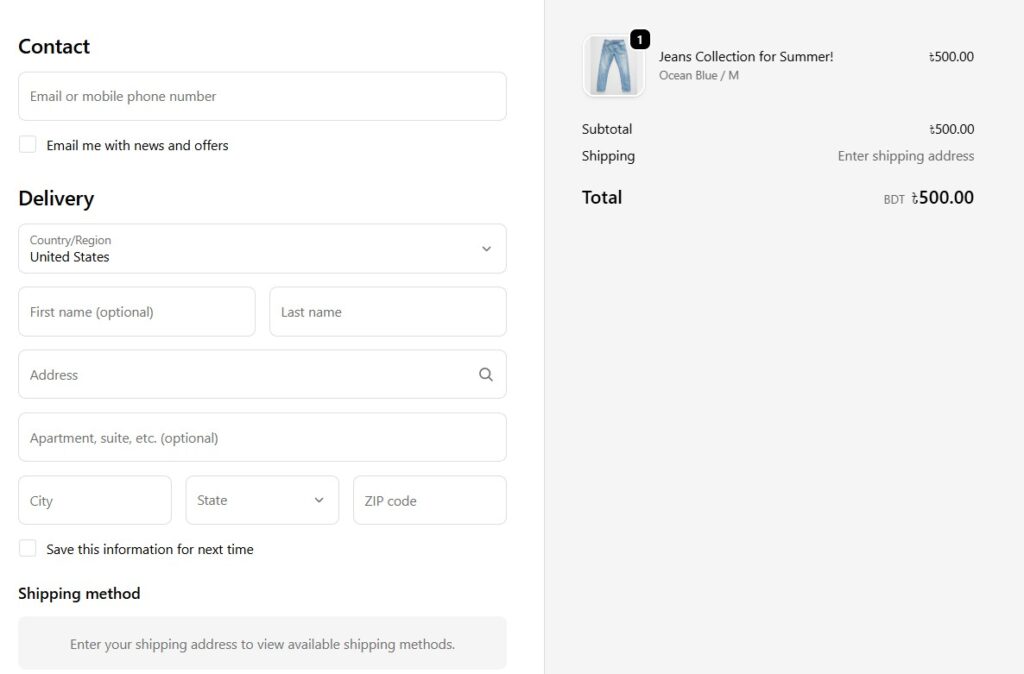
When a reader clicks the buy button on the embedded widget, they go directly to Shopify’s secure checkout page for that product. That is the entire experience. Two steps: Read and Buy.
Why Do Fashion Bloggers Lose Sales Without This?
Most fashion blogs send readers away to buy. A reader finishes your outfit post, clicks a link, lands on a brand homepage, has to find the product, add it to the cart, and complete checkout on a site they have never visited before. Many of them stop somewhere in that journey.
This is the gap between content and commerce. Your blog does the hard work of building trust and creating desire. But the buying experience happens somewhere else entirely, with extra steps that were never yours to control. That is one big problem for the fashion bloggers.
Selling Products On Your Fashion Blog Instantly with EmbedUp
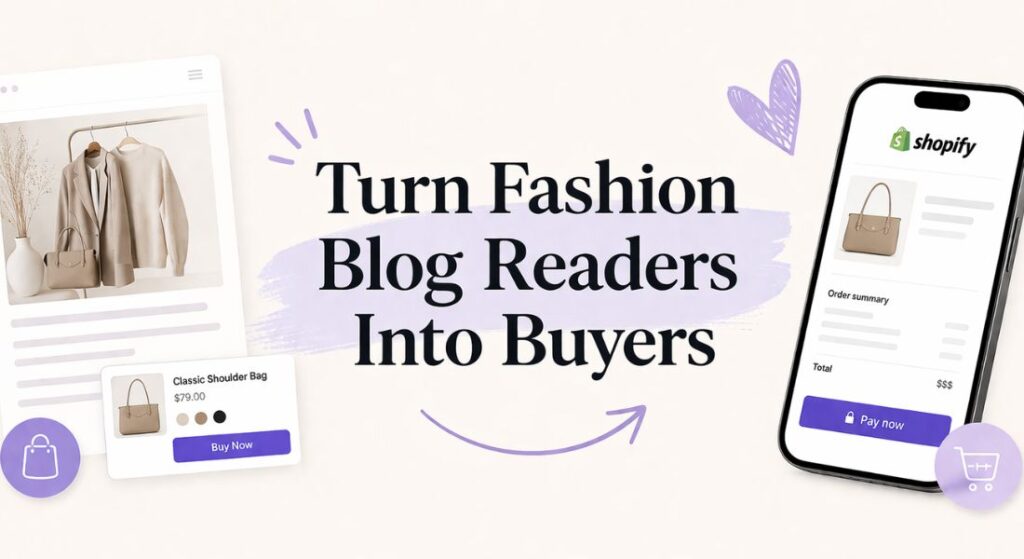
EmbedUp is a Shopify app. It connects to your Shopify store and turns any product into an embeddable widget. You paste a short code into your blog post, and the product appears right there inside your content.
Here is what your readers see on the blog page:
- Your product photo
- Product name and price
- Variant options like size or color
- A buy button
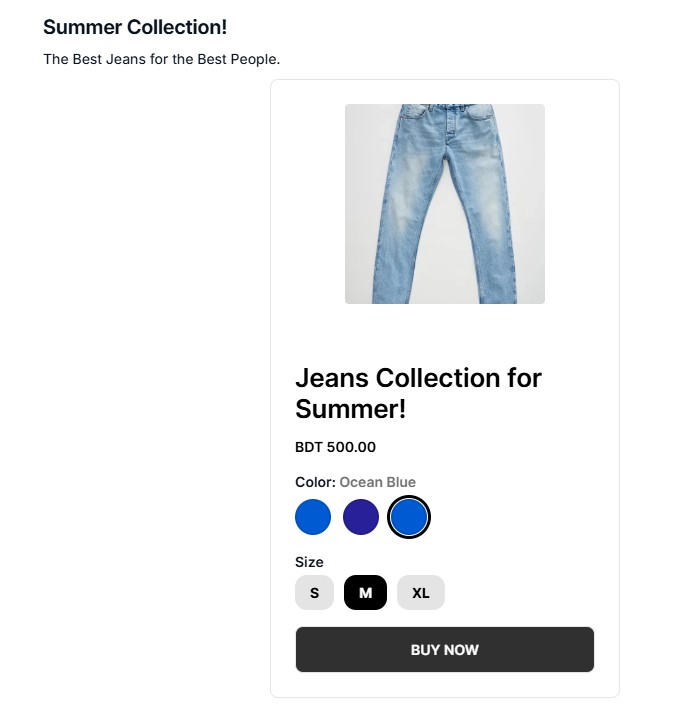
When they click the buy button, they go directly to Shopify’s checkout page for that product. The transaction is handled by Shopify. EmbedUp simply brings the product to where the reader already is.
How to Sell Fashion Items on Your Blog Instantly: A 5-Step Guide
To sell products on your fashion blog instantly, you need a Shopify store and EmbedUp. That is it. No developer. No coding. Most bloggers have their first product live in under 20 minutes.
Step 1: Set up your Shopify store
Add your products with photos, pricing, and descriptions. Connect a payment method. This is your backend. Readers will never see the Shopify store itself.
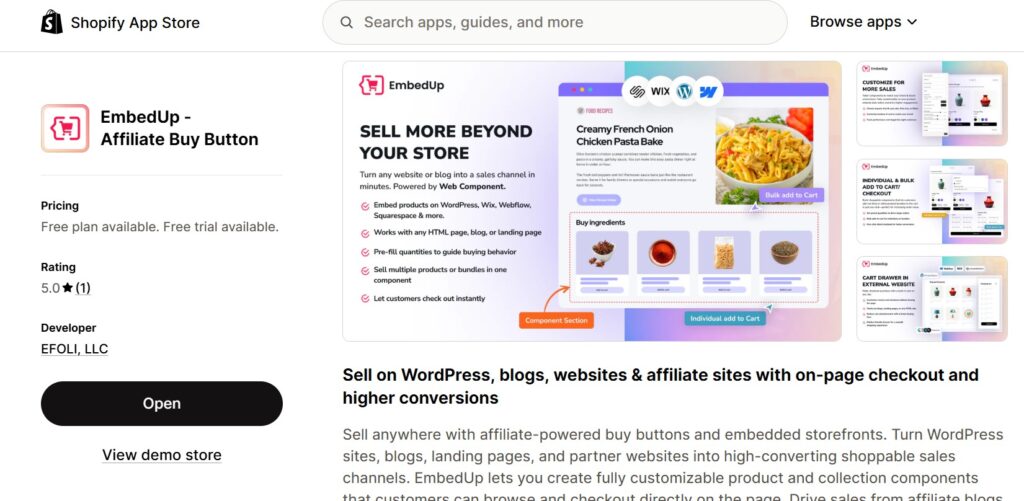
Step 2: Install EmbedUp from the Shopify App Store
Install the app from the Shopify App Store and go to its dashboard, where all the magic happens.
Step 3: Create a component in EmbedUp
Pick the product or collection you want to embed. Choose a layout. Customize colors and button style to match your blog. EmbedUp generates a short embed code.
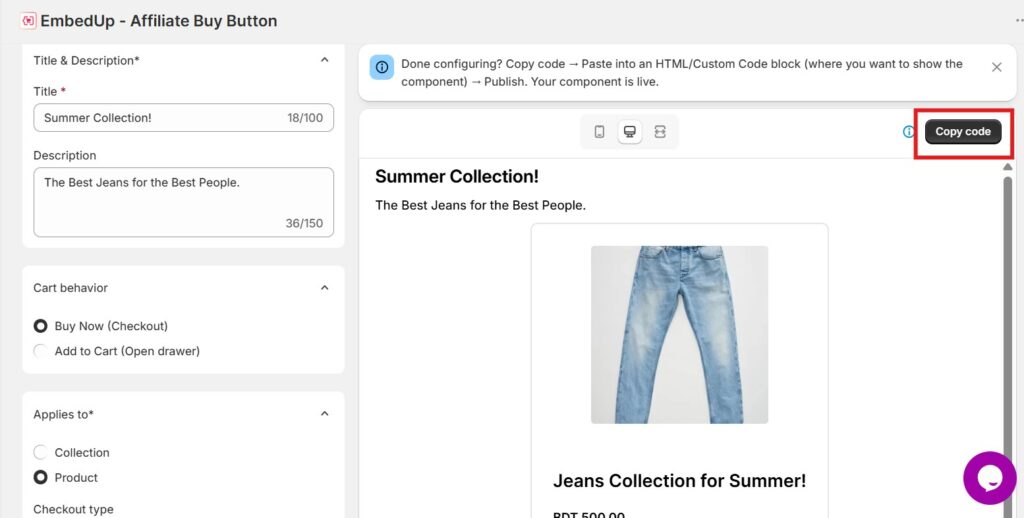
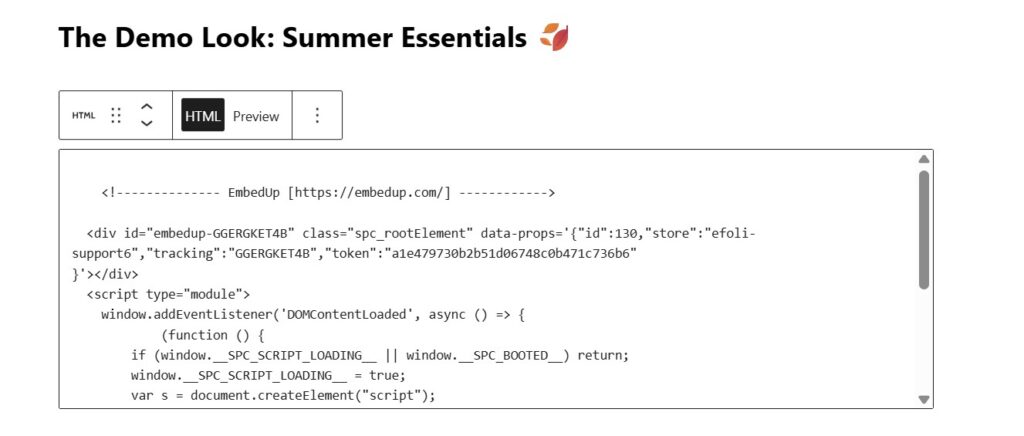
Step 4: Paste the code into your blog post
To embed a shopping cart on blog posts, paste the EmbedUp code right after the paragraph where you recommend the product. It works on WordPress, Webflow, Wix, Squarespace, and any custom HTML blog.
Step 5: Track sales with built-in UTM tracking
EmbedUp includes UTM tracking so you can see which posts drive purchases and which products convert. This tells you which content topics attract buyers, not just readers. Here are some more interesting facts about this Shopify buy button alternative.
Where Should You Place the Product Widget in Your Post?
The best way to add shopping to a blog is to place the widget where your readers’ interest is highest. That is usually right after you describe or style the product in your post, not at the top and not at the very end.
Two or three well-matched products will always convert better than a long product list. Think like a stylist. You are making a focused recommendation at the moment your reader trusts your taste most. Keep it tight and contextual.
Here are placement ideas that work well:
- After a “Shop the Look” section in an outfit post
- Inside a gift guide right below each recommendation
- At the end of a product review post
- Inside a “What I Packed” travel post next to each item mentioned
Does EmbedUp Work for Partner and Affiliate Selling Too?
Yes. If a brand wants you to sell their Shopify products on your blog, they can share an EmbedUp component with you. You paste the code into your post. Their products appear on your page with their pricing and variants. When your readers click to buy, they go to that brand’s Shopify checkout. EmbedUp tracks the sale back to your embed using UTM parameters.
This means instant product sales from blog posts are possible even when the products are not yours. The experience for your reader is the same. The product is on your page. One click takes them to checkout.
Which Blog Platforms Support EmbedUp Embeds?
EmbedUp works on any platform that allows you to paste an HTML code snippet. You do not need a special plugin or integration.
Supported platforms include:
- WordPress
- Webflow
- Wix
- Squarespace
- Ghost
- Any custom HTML website
Start With One Post and See the Difference
If you want to sell products on your fashion blog instantly, the starting point is one post. Take your most-read post from the last 90 days. Find where you already mention or recommend a product. Add an EmbedUp widget right there. Publish it. Watch what happens to that post over the next week.
Final Thoughts
Fashion blog monetization strategies do not have to mean rebuilding your entire site or driving readers away to buy. Embed Shopify products on your blog, keep the reader inside your content, and send them to checkout in one click. Your one post is all it takes to understand why the old way was costing them sales the whole time.
So, are you ready to sell fashion items on your blogs? Check out our other blogs for more tips and tricks. We hope to see you next time!
FAQs
How do I sell products on my fashion blog instantly without technical skills?
You do not need any technical skills. EmbedUp generates the embed code for you. Copy it and paste it into your blog post the same way you would paste an image or a video. Most bloggers are live within 30 minutes of installing the app.
When a reader clicks to buy, where do they go?
They go directly to the Shopify checkout page for that product. They do not land on a homepage or browse a store. One click from your blog post takes them straight to the payment page.
Can I embed Shopify products on my blog to sell someone else’s products?
Yes. If a brand shares its EmbedUp component with you, you paste it into your post, and their Shopify products appear on your page. When your readers buy, the sale is tracked back to your embed. This is how to make money from fashion blog recommendations without managing your own inventory.
Can I embed a shopping cart on blog posts I already published?
Yes. You can add an EmbedUp widget to any existing post without republishing it or changing the URL. Start with your five most-read posts from the last 90 days.
Can I see which blog posts are actually driving my sales?
Yes. Every EmbedUp component has built-in UTM tracking. You can see which posts drive purchases and which products convert best directly inside your Shopify analytics.
How do I monetize a fashion blog with product recommendations if I have no Shopify store yet?
Set up a Shopify account, add the products you want to sell, and install EmbedUp from the Shopify App Store. Monetize your fashion blog with product recommendations from your very first post. The setup takes one afternoon, and the first embed takes about five minutes.