Embedded Shopify products for product launch campaigns matter because launch traffic usually lands on a focused page, not on a Shopify product page. Unbounce analyzed 41,000 landing pages and reported a median conversion rate of 6.6% across all industries, which means launch teams need to treat every extra click, redirect, and page load as a conversion risk they cannot afford to ignore.
A launch does not fail only because the product is weak. It can fail because shoppers land on a campaign page, feel ready to buy, and then get sent to a different product page where the launch energy simply evaporates. The redirect is not a formality. It is a conversion leak.
- Product launch pages lose momentum when shoppers are redirected away.
- EmbedUp lets merchants embed Shopify products inside launch pages and blogs.
- Buying components work best after the strongest proof or urgency section.
- Influencers and affiliates can use tracked embeds for cleaner attribution.
- EmbedUp is useful for launches that need branded cards, tracking, and direct buying actions.
Table of Contents
What Does “Embedded Shopify Products for Product Launch Campaigns” Mean?
Embedded Shopify products for product launch campaigns means placing a shoppable product component inside a landing page, blog post, creator page, affiliate page, or partner website. Shoppers can view the product and start checkout closer to the content that persuaded them. No redirect. No momentum loss.
Shopify’s own Buy Button documentation confirms that Buy Buttons help merchants add products to external websites and blog posts, making purchasing easier by removing the need for shoppers to navigate to a separate page. EmbedUp builds on the same content-commerce idea with more campaign-specific controls.
The EmbedUp Shopify App Store listing positions the app around turning websites, blogs, affiliate pages, landing pages, and partner sites into active sales channels by embedding products, bundles, and buy buttons directly in the content.
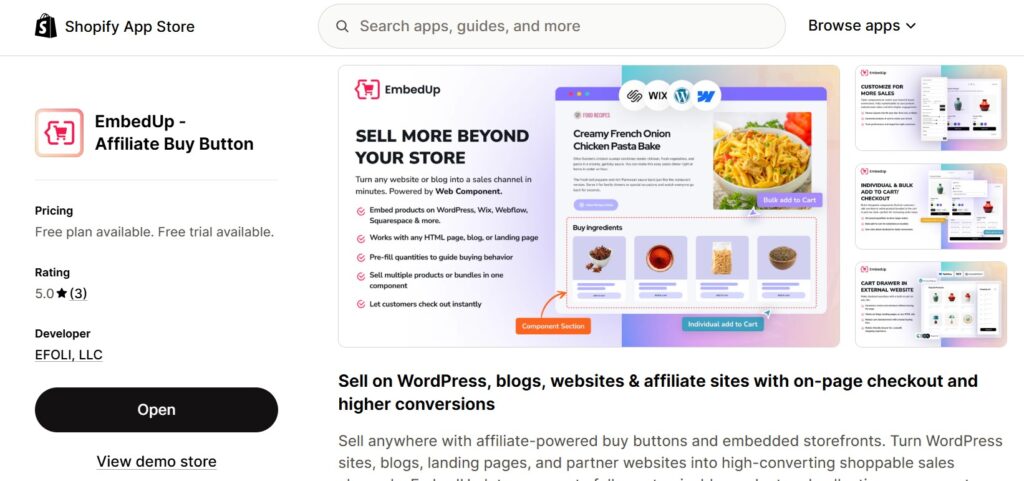
That is why a Shopify product launch landing page checkout workflow matters. A launch page should not just announce the product. It should help the ready buyer purchase without leaving.
Why Redirects Hurt Launch Campaigns
Redirects hurt launches because they interrupt buying momentum at exactly the wrong moment. A customer clicks from an email to a campaign page, reads the story, feels ready to buy, then gets sent to a product page, adds to cart, and finally reaches checkout.
That multi-step path might be acceptable for evergreen products with no time pressure. During a launch, it is a risk.
Embedded Shopify products for product launch campaigns reduce that friction by placing the buying action near the campaign message, where the shopper’s attention and intent are both highest.
This matters especially when stock is limited, attention is short, or the product is tied to a creator’s personal story. A skincare launch page might include ingredient proof, before-and-after context, creator quotes, and a limited offer. If the shopper is ready after reading that section, sending them away to a separate product page can break the momentum the campaign took days to build.
That is where “embed Shopify buy button for launch” searches tend to start. Merchants already have the page, the story, and the traffic. They want the buy action to live inside the campaign.
What Should a Launch Page Include Before the Embed?
A launch page should include the product promise, social proof, urgency signal, stock clarity, and one direct buying action. Embedded Shopify products for product launch campaigns work best when the page prepares the buyer before showing the product card.
Do not add the embed too early. A product card without surrounding context can feel like a banner ad rather than a helpful buying option. Place it after the content has done its job.
For a shoppable landing page Shopify campaign, the order matters:
- Lead with the product story and what problem it solves
- Include proof (ingredients, testimonials, user results, creator review)
- Signal urgency or limited availability honestly if it exists
- Then place the embedded product card in context
For apparel launches, show fit details, model measurements, and fabric notes before the buying component. For B2B launches, show pack size, minimum order details, and wholesale pricing before the embed. Wholesale buyers need clarity before they click, not after.
A launch page should not feel like a mini catalog. It should feel like one focused product story with one clear next step. When you use embedded Shopify products for product launch campaigns, these issues get resolved automatically.
How to Build a Launch Embed Workflow
A strong launch embed workflow starts before launch day. Choose the product, create the component, configure tracking, place it near the highest-intent content section, and test mobile checkout before any traffic arrives.
Here is a clean setup process:
- Pick one primary product or collection for the launch
- Create the EmbedUp product or collection component
- Match the button copy to the launch goal (Launch Price, Limited Drop, Get Yours, etc.)
- Add UTM tracking parameters for each traffic channel
- Place the embed after the strongest proof or urgency section
- Test variant selection, quantity options, cart behavior, and checkout flow
- Test the full experience on mobile at three different screen sizes
- Prepare a backup Shopify product link in case of any component issues
- Check the analytics dashboard within the first hour after launch traffic begins
Embedded Shopify products for product launch campaigns reduce the reduce drop off product launch Shopify problem that teams see between campaign content and checkout completion.
Your potential customer should never need to wonder where to click next. Selling Shopify products on a landing page without a redirect setup works best when the page has one clear product decision and the embed is placed directly after the content that earned the shopper’s trust.
How Influencers and Affiliates Can Use Launch Embeds
Influencers and affiliates should use launch embeds when they own a blog, newsletter page, review article, resource guide, or campaign landing page. The embed turns their content into a tracked buying surface rather than just a traffic source.
Embedded Shopify products for product launch campaigns work well for creator-led launches because the shopper’s attention stays inside the creator’s content. There is no redirect to a merchant’s store mid-flow.
For an influencer product launch Shopify embed campaign, create one component per partner with unique UTM tracking, then share the embed code with clear publishing instructions. Each partner gets their own tracked surface.
A fashion creator can write a styling article and embed the new jacket directly in the review section. A food blogger can embed a limited sauce bundle inside a recipe walkthrough. A fitness coach can embed a launch bundle under a workout gear checklist. Each of these setups keeps the reader inside the content they came for, with a buying option that appears exactly when intent is highest.
This also gives the merchant cleaner attribution. You can compare which partner page drove clicks, cart adds, and completed orders after the launch. A standard referral link tells you traffic. A product component with UTM tracking tells you buying intent per channel.
How Limited-Time Drops Benefit from Embedded Products
Limited-time drops benefit from embedded products because urgency and the checkout moment sit closer together. Shoppers do not need to leave the drop page to find the right product, navigate a separate store, and then remember why they were excited.
A limited-time drop Shopify checkout widget should show the essentials immediately. Product image, price, variant choice, stock availability, and a clear call-to-action. Not five seconds of loading. Not a redirect to a product catalog.
For a small fashion brand running a limited drop, the page can show a lookbook, explain the story behind the drop, and then place the embedded product component directly below. Customers choose their size and move toward checkout from the same page where they fell in love with the product.
A Shopify embed product launch campaign works best when the page does exactly three things in order. It announces the product, explains why it matters, and then offers a direct buying path. Embedded Shopify products for product launch campaigns make that third step possible without breaking the first two.
Shopify Buy Button vs EmbedUp
Shopify’s native Buy Button is a straightforward way to place a product on an external website or blog. It works for simple use cases where the merchant needs a basic external product link with a checkout flow.
EmbedUp is built for merchants who need more control over the content-commerce connection. That includes styled product cards, collection components, partner content embeds, launch page deployments, affiliate tracking, and better attribution across multiple traffic sources.
Use the Shopify Buy Button when the setup is simple, and the campaign does not require tracking, branding control, or multi-channel attribution.
Use EmbedUp when the campaign needs brand-matched product cards, partner-specific tracking parameters, collection display, and accurate measurement of which content surface is driving actual sales rather than just traffic.
The difference is not only about technology. It is about what the campaign requires. A basic product link is fine for a simple page. A launch campaign built across creator content, affiliate pages, and partner blogs needs stronger control over story, placement, and attribution.
Launch Examples
Solo product launch: A skincare brand launches a limited night serum. The campaign page explains the routine, shows ingredient proof, includes two testimonials, and places the embedded product card after the strongest trust section. The shopper buys without ever navigating away from the campaign experience.
Creator-led launch: A fashion creator publishes a styling article for a new jacket. The merchant provides a tracked EmbedUp component specific to that creator. The buying action sits inside the creator’s content, and the merchant can see exactly how many units came from that page.
Multi-site launch: A food brand launches a limited sauce bundle across its own landing page, two recipe blogs, and one affiliate partner page. Each page uses a separate tracked embed with unique UTM parameters. The merchant can compare which surface created the strongest buying intent within the first 48 hours.
FAQs
Can I sell directly on a landing page without sending traffic to my Shopify store?
Yes. Tools like EmbedUp can place shoppable product components on external landing pages, blogs, and partner websites. Shoppers can view the product, add it to cart, and move toward checkout without being sent to a separate Shopify product page first.
How do I add a Shopify buy button to a launch page?
Use Shopify Buy Button or EmbedUp. Create the product component, copy the embed code, and paste it into the page builder of your choice, whether that is WordPress, Webflow, Wix, or a custom HTML page.
Does embedding a product slow down the launch page?
Embedding a product should be tested before launch. Check mobile loading speed, variant selection, cart behavior, and checkout flow before sending traffic to the page.
Can affiliates and influencers get their own tracked embeds for a launch?
Yes, on supported plans. EmbedUp supports affiliate and campaign tracking features, including UTM tracking, performance analytics, and order-level attribution.
What is the practical difference between a Buy Button and an EmbedUp component?
A Shopify Buy Button is a basic external product embed. An EmbedUp component adds brand-matched styling, UTM tracking, collection display, and campaign-level attribution. The difference matters most during large or multi-channel launches.
Will embedded products stay synced with live Shopify inventory?
Yes. Both Shopify Buy Button and EmbedUp connect embedded components to your live Shopify product data, including inventory levels and variant availability.
What happens if a variant sells out during the launch?
The embedded component reflects live Shopify inventory. Sold-out variants become unavailable in the component the same way they would on your Shopify product page. Always test this behavior before launch day.
Conclusion
Embedded Shopify products for product launch campaigns work because they bring the checkout moment closer to the content that built buying intent. That matters for email drops, creator launches, affiliate campaigns, partner blogs, and limited stock events where momentum is everything and redirects cost conversions.
Start with one launch page and one product. Place the buying component after the strongest proof section in the page, track every traffic source with separate UTM parameters, and use the data from the first launch to improve the second one.