How to Choose a Shopify Embed App in 7 Checks
 Anika Anamta Mehnaz13 min read
On this page
- 7 Checks to Choose a Shopify Embed App
- 1. What Kind of Product Experience Does Your Content Actually Need?
- 2. Can Shoppers Act Without Losing the Context of the Article?
- 3. Will the Embed Work Properly With Your Publishing Platform?
- 4. Can the Product Component Match Your Content Instead of Interrupting It?
- 5. Can It Handle Multiple Products, Bundles, and Real Buying Scenarios?
- 6. Can You Tell Which Article, Creator, or Affiliate Generated the Sale?
- 7. Is the Pricing Sensible for the Way Your Content May Grow?
- Where EmbedUp Fits for Content-Driven Selling
- Make the Choice Around Your Content, Not the Feature List
- FAQs
How to choose a Shopify embed app matters when your content already creates buying interest. A reader might discover a product inside your review, tutorial, buying guide, or affiliate article. Impact.com analyzed 1,554 North American retail brands in its 2025 benchmark. Content review partners captured 26% of total commission payouts, the largest share among partner types.
That matters because product research increasingly happens inside editorial content, comparisons, reviews, and partner websites. Yet Shopify embed tools can create very different shopping experiences after that interest appears. Some mainly display products, while others support product choices, cart actions, bundles, attribution, and affiliate selling. These seven checks will help you compare them properly.
7 Checks to Choose a Shopify Embed App
1. What Kind of Product Experience Does Your Content Actually Need?
A Shopify embed app can support anything from one recommended product to several shoppable products together. The right choice depends on what readers should do after discovering something inside your content. Start with that buying action before comparing layouts, pricing plans, customization options, or app store descriptions.
A review blogger may want one recommended camera beside a detailed explanation. An affiliate publisher comparing five coffee makers may need several products throughout one article. A fashion creator publishing a complete outfit guide may want readers to choose several products and variants together.
Shopify merchants publishing outside their storefront face the same decision. A seasonal landing page may need one focused collection, while a recipe article may recommend several kitchen products. Both are product embeds, but the buying experience required is completely different.
Consider a beauty writer explaining a five step evening skincare routine. Readers may want only the moisturizer, or they may want the entire routine. An app limited to isolated product cards may not support that second buying intention very well.
This is why how to choose a Shopify embed app starts with content intent. You are not simply deciding where a product image should appear. You are deciding what readers should be able to do when your content creates genuine purchase interest.
If your larger goal is turning articles into revenue channels, Our guide on how to monetize a blog with products explains several content commerce models for Shopify merchants, bloggers, and publishers working with brands.
2. Can Shoppers Act Without Losing the Context of the Article?
The best embed experience keeps product discovery and the next shopping action closely connected. Test whether readers can choose products, select variants, manage quantities, and move toward checkout without unnecessary confusion. Do not judge an app from product card screenshots alone because the full buying journey matters more.
Shopify supports commerce experiences outside a traditional storefront through its Storefront Web Components. These components can work with products, collections, carts, and checkout-related actions while Shopify continues powering the commerce backend.
That means merchants do not necessarily need to recreate their entire store just to sell through external content. The exact flow still depends on how the component is configured and where the shopper moves during checkout.
Imagine someone spending ten minutes reading a detailed running shoe comparison. They finally choose one model and decide which size fits their needs. At that moment, the article has already created most of the context behind the purchase.
If the next step makes them search for the same shoe again, repeat selections, or navigate unrelated pages, the experience becomes more complicated. That does not mean every transition loses a sale, but unnecessary steps can weaken an otherwise smooth journey.
A better test is practical. Publish a private test page, choose a variant, change the quantity, add the product, and continue toward checkout. Repeat the process on mobile because many content readers will never see the desktop version.
EmbedUp currently offers Individual Checkout and Bulk Checkout options when merchants create components. Its help documentation on displaying Shopify products on external websites explains how those choices work.
Merchants who prefer cart interaction before checkout can also use the documented Add to Cart option. The guide on enabling the Add to Cart button explains the Headless setup used for that configuration.
3. Will the Embed Work Properly With Your Publishing Platform?
Before choosing any Shopify embed app, confirm that it works properly on the website where your content actually lives. WordPress, Webflow, Wix, Squarespace, Ghost, custom websites, and landing page builders can handle scripts differently. Compatibility should be tested rather than assumed from marketing language.
This matters especially when you want to embed Shopify products on WordPress. A publisher may already have caching tools, consent management, analytics scripts, advertising scripts, and a page builder running together.
An affiliate marketer using WordPress may value easy publishing and reliable mobile rendering most. A Shopify brand using Webflow for editorial campaigns may care more about responsive layouts, typography, and control over spacing.
Performance deserves attention too. Google's web.dev guidance notes that third party JavaScript can increase network requests, delay rendering, and affect page behavior depending on how scripts load. It recommends measuring third party resources instead of assuming they are harmless.
You can test this with tools such as PageSpeed Insights, Lighthouse, or Chrome DevTools before and after adding an embed. This is particularly important on articles that already contain advertisements, videos, analytics, or several marketing scripts.
Create one test page before adding components across fifty articles. Check images, selectors, buttons, spacing, mobile behavior, cart actions, and loading performance. A small test can reveal problems that are difficult to fix after a large rollout.
These technical checks belong among the most important things to consider before choosing a Shopify embed app. A useful feature has little value when it creates problems on the platform where readers actually encounter it.
4. Can the Product Component Match Your Content Instead of Interrupting It?
A product embed should feel like part of the surrounding article rather than an unrelated advertisement. This matters for bloggers, article writers, publishers, reviewers, and affiliate marketers who rely heavily on reader trust. Look for enough design control to make products noticeable without overwhelming the content.
Consider a technology writer explaining a complete work from home desk setup. A keyboard component directly below the keyboard recommendation feels connected to the article. A large generic product grid using different spacing, fonts, and button styles may feel much less natural.
Check whether you can control layout, buttons, typography, spacing, product details, and component width. You should also check which design controls are included in the plan you intend to use.
This matters because some apps provide basic customization first and reserve advanced controls for paid plans. If custom CSS is important to your publication, confirm that feature before creating dozens of components.
EmbedUp's current Starter plan includes basic buy button customization. Its Growth plan includes advanced customization and custom CSS, according to the current Shopify App Store listing.
Customization becomes particularly important when you want to turn your website into an online store experience without making every page resemble a storefront. Readers came for the article first. The commerce element should support that reading experience.
5. Can It Handle Multiple Products, Bundles, and Real Buying Scenarios?
Single product embeds are enough for some articles, but content often recommends several items together. Check whether an app supports multiple products, variants, quantities, collections, and preset product groups. These capabilities matter when the recommendation makes more sense as a complete set rather than one isolated item.
A beauty publisher could recommend cleanser, serum, moisturizer, and sunscreen inside one morning routine. A food blogger might feature several baking tools beside a recipe. A fashion writer could recommend an entire outfit within one styling article.
Shopify merchants can use the same approach for gift guides, seasonal collections, campaign landing pages, and partner content. Bulk cart actions are especially useful when the article naturally encourages readers to purchase several related items.
This is where the best way to embed Shopify products varies by content type. A detailed product review might need one component. A Christmas gift guide containing twelve recommendations may need several components or curated product groups.
EmbedUp's current Growth plan supports up to ten components, one-click actions for multiple items, preset bundles with fixed products and quantities, default variant quantities, and inventory checking before checkout.
Do not stop at the word "bundle" in an app listing. Test whether quantities behave as expected, what happens when inventory changes, and how unavailable products are handled. Also confirm that the final cart accurately reflects the reader's choices.
6. Can You Tell Which Article, Creator, or Affiliate Generated the Sale?
Attribution becomes important when multiple articles, creators, or affiliates promote the same products. Merchants need to understand which placements contribute to orders, while publishers need reliable tracking when commissions depend on their work. Compare attribution features before building a large partner program around any embed app.
Imagine a skincare brand working with ten beauty bloggers during a serum launch. One publishes a detailed review, another creates a routine, and another compares competing ingredients. Traffic alone cannot tell the merchant which relationship is creating meaningful sales.
Look for affiliate assignment, sales tracking, commission reporting, UTM tracking, campaign analytics, and order-level attribution where appropriate. These tools help separate an article that attracts readers from one that contributes to purchases.
EmbedUp's current Pro plan includes affiliate partner management, component assignment, affiliate sales and commission tracking, performance analytics, UTM campaign analytics, and order-level attribution. The plan currently supports up to fifty components.
One limitation should also be understood before choosing it. EmbedUp's own affiliate guide currently states that the app tracks affiliate activity and commissions, while actual affiliate payouts are handled manually outside the app.
If you work with affiliates, disclosure also matters. For content that falls under United States advertising rules, the FTC says material financial relationships should be disclosed clearly and conspicuously near the endorsement. A buy button by itself is not an adequate affiliate disclosure.
For a detailed partner workflow, read our guide on selling Shopify products on affiliate websites. It covers component assignment, affiliate placement, tracking, commissions, and the current payout process.
7. Is the Pricing Sensible for the Way Your Content May Grow?
Pricing should be judged against your publishing model rather than the cheapest monthly amount. A blogger testing one product article needs less infrastructure than a Shopify merchant working with thirty affiliate publishers. Compare component limits, product limits, bundles, customization, tracking, support, and future expansion.
At the time of writing, EmbedUp's Starter plan is free. It currently allows one component containing up to three products, basic customization, product or collection embeds, individual product add to cart or checkout actions, embed code, and email support.
The Growth plan currently costs $14.99 per month. It supports up to ten components and includes preset bundles, bulk actions, inventory checking, default variant quantities, advanced customization, custom CSS, and live chat support.
The Pro plan currently costs $29.99 per month and supports up to fifty components. It adds affiliate partner management, component assignment, commission tracking, affiliate analytics, UTM campaign analytics, and order-level attribution.
Pricing and plan features can change, so verify the Shopify App Store listing before making a long term decision.
The highest plan is not automatically the best choice. Someone placing three products inside one educational article may not need affiliate tools. A merchant distributing components across dozens of partner sites may need those capabilities much sooner.
How to choose a Shopify embed app also involves operational cost. Ask who will create components, test pages, manage partners, review analytics, and maintain live placements. The subscription price is only one part of running the channel.
Where EmbedUp Fits for Content-Driven Selling

EmbedUp is built for Shopify merchants who want products to become shoppable inside websites and content beyond their main storefront. Its current Shopify listing specifically supports WordPress, Webflow, Wix, blogs, landing pages, affiliate sites, and partner websites.
Merchants can embed products, variants, collections, and preset bundles depending on their plan. Components can also support individual actions, multiple item actions, customization, affiliate assignment, and campaign attribution.
Slenderiiz Dual Drops Using EmbedUp on Their Website

This creates several useful content commerce scenarios.
A Shopify merchant can place products inside its own educational articles. A brand can provide components to affiliate bloggers. A publisher can include an assigned Shopify product beside the exact recommendation that created interest.
Content placement is where this becomes more interesting than a simple linked image. A recipe blogger can place cookware below the recipe step where it is used. A fashion publisher can position products beside a styling recommendation rather than sending readers elsewhere to find them.
EmbedUp's strongest fit is not every website. Someone who only wants a static image that links to one Shopify product may not need a dedicated embed app at all.
It becomes more relevant when you need product interaction, variants, multiple products, preset bundles, customization, affiliate attribution, or campaign tracking. That is a more useful way to evaluate how to choose a Shopify embed app than simply counting features.
Make the Choice Around Your Content, Not the Feature List
How to choose a Shopify embed app becomes easier when you start with the reader's journey. Identify where product interest appears, what readers need to do next, and how the buying experience should connect with that content. Then test those requirements against the app before expanding the setup.
For Shopify merchants, bloggers, article writers, publishers, creators, and affiliate marketers, the opportunity is larger than adding another buy button. Useful content already provides context, trust, and product education. The right embed setup gives that interest a practical and measurable path toward purchase.
FAQs
Can I Sell Shopify Products on a Website That Is Not Built on Shopify?
Can Bloggers Sell Shopify Products Inside Their Articles?
Do Shopify Embed Apps Keep Checkout Inside the Article?
Can Affiliate Marketers Use EmbedUp Without Owning a Shopify Store?
Will a Shopify Embed App Slow Down My Website?
Can I Embed Several Shopify Products Inside One Article?
Can I Track Which Blog Post or Affiliate Generated an Order?
What Should I Test Before Choosing a Shopify Embed App?
- Affiliate embed attribution
- EmbedUp
- Embed products blogs
- Shopify Embed App
Related articles
 Embed Shopify Products
How to Make a Shoppable Holiday Gift Guide Readers Can Buy From
Last checked: 2 November 2026, against the EmbedUp App Store listing, embedup.com, ShipStation's 2026 holiday shipping deadlines, and the NRF 2026 holiday forecast. Who this is for: Shopify merchants, bloggers, and content teams who publish a holiday gift guide on a blog or website. Reading time: about 16 minutes.
17 min read
 Embed Shopify Products
How to Make Money From a Makeup Blog With Shopify (2026 Guide)
Learn how beauty bloggers can turn makeup tutorials, reviews, and product recommendations into earning opportunities. Discover five common challenges of selling Shopify products through blogs and how EmbedUp helps merchants and bloggers create shoppable content, manage affiliate partnerships, and track sales.
16 min read
 Embed Shopify Products
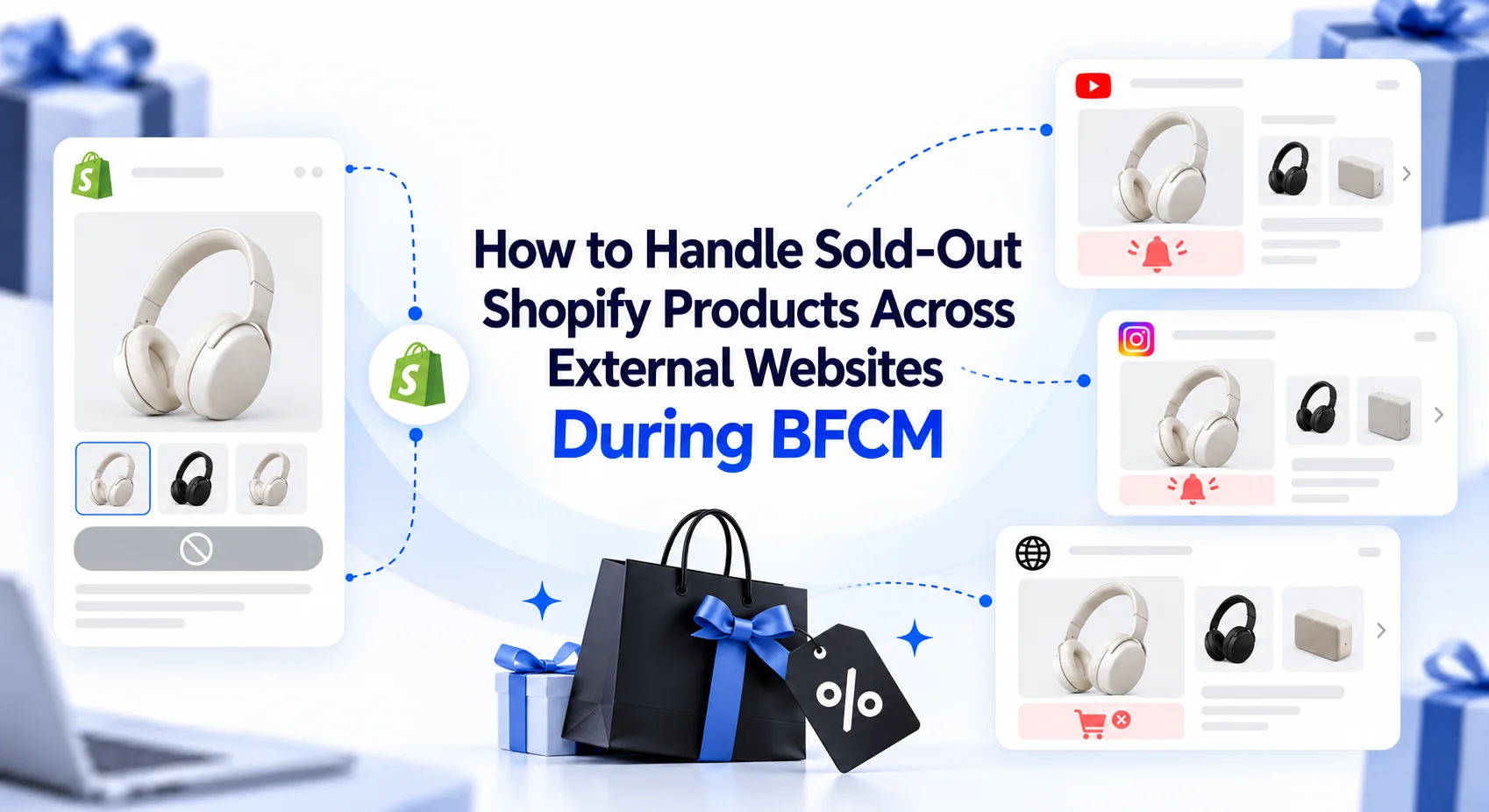
How to Handle Sold-Out Shopify Products Across External Websites During BFCM
When popular Shopify products sell out during BFCM, merchants need to respond across every external website promoting them. This guide explains how to handle unavailable variants, update embedded product placements, choose suitable alternatives, use collection embeds, and keep external campaigns useful as product availability changes.
18 min read