How to Handle Sold-Out Shopify Products Across External Websites During BFCM
 Anika Anamta Mehnaz18 min read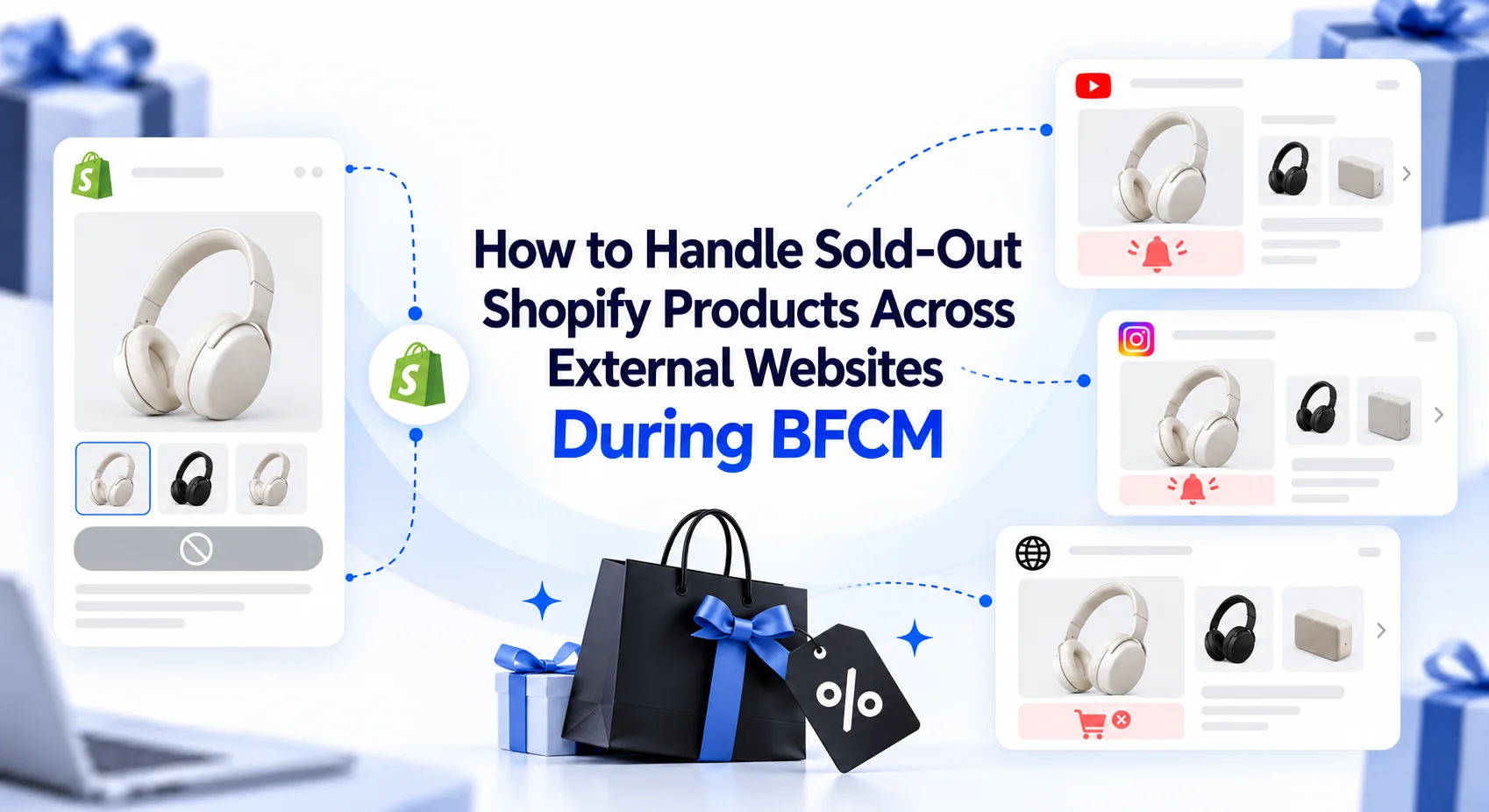
On this page
- What Should You Do When a Shopify Product Sells Out on an External Website?
- 8 Ways to Handle Sold-Out Shopify Products Across External Placements
- 1. Identify Which External Product Placements Need Immediate Attention
- 2. Handle Sold-Out Variants Without Removing Available Products
- 3. Update External Product Placements When a Featured Item Sells Out
- 4. Choose Relevant Alternatives Instead of Promoting Whatever Is Available
- 5. Use Shopify Collection Embeds When One Product Isn't Enough
- 6. Review Featured Product Availability Before Major BFCM Promotions
- 7. Handle Sold-Out Hero Products Across Multiple Partner Websites
- 8. Review External Placement Performance After Product Changes
- How EmbedUp Helps Merchants Keep External Product Placements Useful During BFCM
- BFCM Example: When a Featured Gift Set Sells Out on Three Websites
- What to Do After an External Shopify Product Sells Out
- Final Thoughts
- FAQs
Your bestselling holiday gift set is featured on a WordPress blog, a partner's gift guide, and two promotional landing pages. Everything is going well until Saturday afternoon, when the most popular option sells out.
The problem isn't limited to your Shopify store. Several external websites are still promoting the product, and customers are arriving from campaigns your team spent weeks preparing. Some may be willing to buy a similar gift, but they need an easy way to find it.
Situations like this become particularly important during Black Friday Cyber Monday (BFCM). According to Shopify's 2025 BFCM report, more than 94,900 Shopify merchants experienced their highest-selling day ever during the event. This doesn't mean every store experienced stock shortages, but it shows how concentrated holiday demand can be.
When products appear across multiple websites, responding to a stockout becomes a customer-experience challenge as much as an inventory issue.
Shopify product embeds during BFCM allow merchants to present products and buying options beyond their main storefront. But what should happen when one of those featured products becomes unavailable?
This guide explains how to handle sold-out products, adjust external placements, and offer relevant alternatives without rebuilding your entire campaign.
If you're still preparing your promotional pages, start with our BFCM checklist for external Shopify product placements. Here, we'll focus on what merchants should do when product availability changes during an active campaign.
What Should You Do When a Shopify Product Sells Out on an External Website?
When a Shopify product featured on an external website sells out, first determine whether the entire product or only a specific variant is unavailable. Then identify the affected placements, choose an appropriate alternative, and update the promotional content.
You don't necessarily need to remove every promotion or abandon the campaign.
For example, a sold-out candle scent might be replaced by another available scent, while an unavailable holiday gift set could be replaced by a relevant collection. If no suitable alternative exists, clearly communicating that the product is unavailable may be the better choice.
The goal is to keep external selling pages useful without promising customers something they can no longer purchase.
8 Ways to Handle Sold-Out Shopify Products Across External Placements
1. Identify Which External Product Placements Need Immediate Attention
When a popular product sells out, the first question isn't necessarily how much inventory remains. It's where the product is still being promoted.
A business may have its bestselling backpack featured in a travel blogger's article, an affiliate review, a holiday landing page, and a creator's product recommendations. Each placement reaches a different audience, and some may continue bringing visitors long after the initial promotion.
Updating every page immediately may be unrealistic, especially when external partners manage their own content.
Instead, start with placements that are currently receiving active promotional traffic.
Consider a travel accessories brand with the following campaign setup:
External Placement | Featured Product | Campaign Situation | Priority |
BFCM landing page | Travel Backpack | Paid campaign running | Critical |
Partner gift guide | Travel Backpack | Newsletter scheduled | High |
Evergreen travel blog | Travel Backpack | Regular organic traffic | Medium |
Older comparison article | Travel Backpack | No active promotion | Lower |
Example:
The landing page deserves immediate attention because the business is actively paying to send customers there. The partner's upcoming newsletter is another priority because there's still an opportunity to change the promotion before it reaches readers.
This approach helps merchants respond where the stockout is most likely to affect the current buying experience.
It's also useful to distinguish between placements you control and those managed by partners. Your team may be able to update its own landing page immediately, while an affiliate article requires coordination with the website owner.
What to do: Prioritize external placements receiving active traffic, then identify who can update each affected page.
2. Handle Sold-Out Variants Without Removing Available Products
A product doesn't always become completely unavailable when one option sells out.
Consider a clothing brand promoting a winter jacket through an external fashion blog. The jacket comes in black, beige, and navy, with several sizes available.
During BFCM, the black medium variant sells out, but other sizes and colors remain in stock.
Removing the entire product recommendation could mean losing an opportunity to sell the remaining variants. However, continuing to advertise the black medium jacket as available would also create a poor customer experience.
The right response depends on what the promotion promises.
If the article recommends the jacket generally, customers might be happy choosing another available color or size. If the entire campaign specifically advertises the black medium version, the surrounding promotional content needs attention.
Shopify generally prevents purchases of inventory-tracked variants when available stock reaches zero, unless the merchant enables Continue selling when out of stock. This setting is controlled in Shopify and should reflect whether the business can fulfill additional orders.
For further details, refer to Shopify's official guide to selling when out of stock.
With EmbedUp, embedded product components use Shopify product information, including variants and inventory availability. This helps customers view current product options rather than relying on a separately maintained product listing.

However, an updated variant status doesn't automatically rewrite the article promoting it.
For example, if the blog headline says Get the Black Jacket in Medium for Black Friday, that statement may need to change even when the embedded component correctly reflects that the variant is unavailable.
What to do: Keep suitable available options accessible, but update promotional messages that promise a particular sold-out variant.
3. Update External Product Placements When a Featured Item Sells Out
Imagine a wellness brand promoting a limited-edition self-care box on three different websites.
The product sells out on Friday evening. Its Shopify inventory information is updated, but the surrounding pages still describe it as the weekend's featured gift.
This is where merchants need to separate two responsibilities: maintaining accurate Shopify product information and deciding what to promote next.
An embedded component may reflect the item's updated availability, but it doesn't independently decide which other product should replace the original recommendation.
For merchants using a Shopify product embed app, the next step is to review the component associated with the unavailable product and decide whether to change the selected product or present a different component.
For instance, an unavailable self-care box could be replaced by a similar relaxation kit that is already part of the same campaign.
After making the relevant change, check the published external page. The update process can depend on how the component was configured and embedded, so verify the result rather than assuming every existing placement has switched automatically.
The surrounding content deserves attention, too.
A paragraph describing the original box's contents won't necessarily make sense beside a different product. The same applies to fixed promotional images, product-specific discount messages, and headings mentioning the previous item.
A good replacement should feel natural within the page, not like an unrelated product inserted simply because it's available.
What to do: Update the appropriate product placement, revise outdated promotional content, and check that customers can purchase the replacement from the live external page.
4. Choose Relevant Alternatives Instead of Promoting Whatever Is Available
A sold-out product doesn't always require a completely new promotion. Sometimes an existing product can satisfy the same customer need.
The difficulty is choosing an alternative that genuinely belongs in the campaign.
Suppose a lifestyle brand has been promoting a $45 lavender candle gift set as an affordable holiday present. It sells out during Black Friday.
The brand has two possible replacements: a $49 vanilla candle gift set and a $120 luxury home fragrance collection.
Both are available, but only the first is a close match for the original promotion.
Someone reading a gift guide for affordable presents may not be interested in spending more than twice the advertised price.
Before replacing an embedded product, consider whether the alternative serves a similar purpose, falls within a reasonable price range, suits the intended audience, and remains relevant to the page's content.
Here's how a merchant might approach common replacements:
Sold-Out Product | Suitable Alternative | Why It Works |
Lavender Candle Gift Set | Vanilla Candle Gift Set | Similar purpose and price |
Black Leather Wallet | Brown Leather Wallet | Same product style with another option |
Travel Skincare Kit | Hydration Travel Kit | Suitable for a similar gifting need |
Limited-Edition Coffee Grinder | Coffee Brewing Collection | Offers related products when no direct replacement exists |
The important consideration isn't simply what you can sell. It's what the customer originally came to the page to find.
With EmbedUp, merchants can create product components for selected Shopify products and use them within relevant external content. The app supports the placement of these products, while the merchant remains responsible for deciding which alternative makes sense.
What to do: Choose a replacement that preserves the original recommendation's purpose rather than treating any available product as a suitable substitute.
5. Use Shopify Collection Embeds When One Product Isn't Enough
Sometimes there isn't a good one-to-one replacement for a sold-out product.
A holiday gift guide might feature a particular coffee grinder that customers love. Once it becomes unavailable, recommending another grinder may not be possible because the remaining models have different features or significantly higher prices.
Rather than forcing an unsuitable replacement, the merchant could offer a small collection of relevant coffee products.
This might include brewing accessories, specialty coffee, travel mugs, and other gifts suited to the same audience.
The page can still help customers discover something useful even though its original featured product is unavailable.
EmbedUp supports Shopify product and collection components, allowing merchants to present several products within external websites such as WordPress, Webflow, Wix, and partner pages.
This is particularly relevant to BFCM campaigns built around broader interests or categories rather than one specific item.
For example, imagine a gift guide titled Best Holiday Gifts for Coffee Lovers.
Its original featured coffee grinder sells out, but the merchant still has several relevant products available. Replacing the individual product placement with a curated coffee gift collection gives customers more choices without changing the article's overall purpose.
Collection placements still require thoughtful product selection. If most items in the collection are unavailable, the component may provide little value.
It's also important to consider the page's original message. An article reviewing one specific coffee grinder should not quietly replace that review's purchase option with unrelated accessories.
However, a broader article about gifts for coffee lovers could reasonably offer several alternatives.
What to do: Consider a collection component when the page supports multiple relevant products and no single replacement adequately meets customer expectations.
6. Review Featured Product Availability Before Major BFCM Promotions
Your campaign team finishes preparing a weekend email on Thursday. The featured product is available, the copy is approved, and everything is ready to send.
By Saturday morning, however, the promoted variant has sold out.
The email may still look perfectly fine, but customers who click through could arrive at an external page where the advertised option is no longer available.
This is why the timing of product availability checks matters.
Merchants don't need to manually refresh every external component throughout the weekend. They do need to pay attention to the products receiving major promotional exposure.
Before an important email, influencer post, or paid social campaign goes live, check the availability of its featured products in Shopify. Then review the external placement customers will visit.
For example, imagine a cosmetics brand planning a Saturday evening email featuring a holiday makeup set. If the set is running low, the marketing team might decide to promote another available set or replace the single-product recommendation with a collection.
That decision is easier to make before the email reaches thousands of customers.
What to do: Review the availability of featured products before major promotional sends and confirm that the external page still offers the buying experience advertised.
7. Handle Sold-Out Hero Products Across Multiple Partner Websites
Replacing a product on a website you control is one thing. Updating a promotion that several external partners are running can be more complicated.
Consider a hypothetical home decor business that launches a limited-edition table lamp for Black Friday.
Three interior design bloggers feature the lamp in their holiday recommendations, and two affiliates promote it through their websites.
By Saturday afternoon, the lamp sells out.
The business could replace the hero product on its own campaign page, but the partner content might still feature photographs, descriptions, and recommendations written specifically for the unavailable lamp.
This is where a coordinated response matters.
The first step is identifying which partners are still actively promoting the product. The merchant should then decide whether a comparable alternative exists and share an appropriate replacement recommendation with those partners.
For a partner article about affordable desk lighting, another lamp in the same price range might work. But an article reviewing the limited-edition lamp's design should probably retain its original context and clearly indicate that the featured product is unavailable.
Merchants should also consider how the replacement affects the embedded component.
EmbedUp supports external Shopify product placements and affiliate-related features, including component assignments and performance tracking on applicable plans. These can help merchants organize partner selling activities, although the app should not be treated as an automated system for rewriting partner content.
A simple partner update record can make the process easier:
Partner Placement | Recommended Action | Confirmation Needed |
Interior design gift guide | Feature comparable lamp | Updated recommendation and component |
Product review article | Retain review, mark item unavailable | Clear availability message |
Affiliate BFCM landing page | Promote lighting collection | Updated placement and campaign link |
Scheduled partner newsletter | Replace featured offer before sending | Partner approval |
Example:
Once a partner confirms the update, check the live page rather than relying only on an email saying the change has been made.
If the product or component changes, merchants using affiliate tracking should also verify that the intended component and partner attribution still apply.
What to do: Coordinate updates with external partners, keep the surrounding content accurate, and verify the revised buying experience and attribution where applicable.
8. Review External Placement Performance After Product Changes
A replacement product might keep a campaign running, but that doesn't automatically mean the updated placement is performing well.
Perhaps your original hero product attracted strong interest because it had a particularly appealing design. The alternative may be relevant, but fewer customers could be interested in purchasing it.
Alternatively, a curated collection might give visitors more suitable choices than the original single-product placement.
Understanding these differences can help merchants decide what to promote during the remaining BFCM period.
For example, suppose a business replaces a sold-out travel backpack with a collection of weekend travel accessories.
The team could review whether visitors are interacting with the updated placement, adding items to the cart, and completing purchases.
It should also consider whether traffic sources, promotion timing, or the audience changed around the same time. A rise or decline in purchases doesn't automatically prove that the replacement product caused the difference.
EmbedUp's Pro plan includes campaign analytics, UTM tracking, and affiliate performance features. These can help merchants review results from external placements and partner campaigns.
Rather than judging the new product solely by how much inventory it has, merchants can use the available performance information to evaluate whether it remains a useful recommendation.
For instance, a partner's holiday gift guide might continue attracting customers interested in several products even after the original featured item sells out.
That information could support a decision to keep the collection placement for the rest of the weekend.
What to do: Review available campaign and placement data after a product change, and use it alongside customer intent to decide whether the replacement should remain featured.
How EmbedUp Helps Merchants Keep External Product Placements Useful During BFCM

A stockout isn't something EmbedUp can prevent. Merchants still manage their inventory, replenishment decisions, and product availability through Shopify and their existing business processes.
Where EmbedUp becomes relevant is in the experience customers encounter outside the main Shopify storefront.
For example, a merchant might have Shopify products embedded in a WordPress gift guide, a Webflow landing page, and several affiliate websites.
With EmbedUp, those placements can use Shopify product information, including prices, variants, and inventory availability. Merchants can also create customizable product and collection components to suit different external pages.
These capabilities help merchants maintain useful buying opportunities across content-driven websites.
However, it's important to understand the difference between synchronized product information and campaign decisions.
What EmbedUp Supports | What Merchants Still Need to Do |
Displaying Shopify products and variants externally | Decide which products deserve promotional attention |
Syncing product information and inventory availability | Manage actual inventory inside Shopify |
Creating product and collection components | Choose appropriate replacement products |
Customizing external buying experiences | Update independently written campaign content |
Affiliate and campaign tracking on applicable plans | Coordinate revisions with external partners |
Inventory checks before checkout on applicable plans | Plan stock availability and replenishment |
Imagine a holiday gift guide originally featuring a bestselling candle.
If the candle sells out, EmbedUp's connection to Shopify helps maintain current product availability information within the embedded component. The merchant can then choose whether to feature another candle, create a more flexible collection placement, or update the page to acknowledge that the original recommendation is unavailable.
That final decision belongs to the merchant.
For businesses already selling through blogs and partner websites, this distinction is useful: the product data remains connected to Shopify, while the merchant controls how the surrounding campaign should respond.
BFCM Example: When a Featured Gift Set Sells Out on Three Websites
Consider a hypothetical skincare brand called Bloom & Care.
The business sells through Shopify and uses external content to reach customers interested in holiday skincare gifts.
Its bestselling Holiday Glow Set is featured in three places: a WordPress beauty blog, a BFCM landing page, and an affiliate's gift guide.
The product receives strong demand on Black Friday, and by Saturday afternoon, the set is no longer available.
The brand doesn't want customers arriving at those external pages to find irrelevant or misleading recommendations.
Here's how the team could respond:
1. Confirm which product is unavailable: The team checks Shopify and confirms that the complete Holiday Glow Set is sold out, rather than just one variant.
2. Choose an appropriate alternative: A Hydration Essentials Kit is available at a comparable price and serves a similar gifting purpose.
3. Update the BFCM landing page: The team adjusts the relevant product placement and campaign message to promote the replacement kit.
4. Coordinate the partner content: The beauty blogger updates the gift recommendation, while the affiliate adds an availability note and a suitable alternative.
5. Check the published experience: Each affected page is reviewed to ensure customers see accurate information and can purchase the available product.
The original Holiday Glow Set is still unavailable, and the brand hasn't recovered that inventory.
What it has done is preserve a useful buying experience across its external campaigns.
This example illustrates a merchant-managed response, not an automatic stockout recovery feature in EmbedUp.
What to Do After an External Shopify Product Sells Out
When you're dealing with several product placements, it helps to have a simple response guide that the marketing team can follow.
Situation | Recommended Action |
One promoted variant is sold out | Keep suitable available variants accessible and correct any variant-specific promotion |
The entire featured product is unavailable | Choose a relevant replacement or clearly communicate unavailability |
No similar product is available | Consider a relevant collection or remove the purchase recommendation |
The product appears on several external pages | Prioritize active promotions and coordinate page updates |
A partner is promoting the sold-out item | Share the change and request appropriate revisions |
A replacement is published | Confirm the updated content, product component, and purchasing path |
Campaign traffic continues | Review available performance data and adjust the promotion when necessary |
These steps won't prevent every sellout, but they can help merchants respond without treating every unavailable SKU as a completely new problem.
Final Thoughts
A product selling out during BFCM can be a sign that a promotion attracted strong interest. But when that product appears across blogs, landing pages, and partner websites, merchants need to consider what happens to those buying opportunities afterward.
The right response isn't always to remove the product immediately. Sometimes another variant is suitable. Other times, a related product or collection provides a better experience. And when no reasonable alternative exists, being clear about availability is more helpful than keeping an outdated offer alive. The important part is maintaining accurate product information while making thoughtful decisions about what customers should see next.
FAQs
What happens when an embedded Shopify product sells out during BFCM?
Does EmbedUp automatically replace sold-out products?
Can customers still buy other variants if one Shopify variant sells out?
Should I use a product embed or collection embed during BFCM?
Can I update a Shopify product promoted on multiple external websites?
How does EmbedUp help with Shopify inventory availability?
What should I do if my BFCM hero product sells out?
- Embed products blogs
- BFCM sell on blogs
- Shopify product embeds during BFCM
Related articles
 Embed Shopify Products
Food Bloggers: How to Sell Recipe Ingredients Online Without Losing Your Readers
This guide shows food bloggers and Shopify brands how to sell recipe ingredients directly from their content using shoppable product cards, ingredient bundles, live Shopify data, and affiliate tracking. It explains how EmbedUp can connect recipe pages with Shopify products, reduce unnecessary buying steps, and turn useful food content into a measurable sales channel without requiring custom development.
12 min read
 Embed Shopify Products
How to Choose a Shopify Embed App in 7 Checks
This guide explains how to choose a Shopify embed app based on real content-selling needs, including checkout flow, platform compatibility, customization, bundles, affiliate tracking, and pricing. It helps Shopify merchants, bloggers, publishers, and affiliate marketers turn articles and external websites into more effective, measurable shopping channels.
13 min read
 Embed Shopify Products
How to Sell Shopify Products Outside Your Store in 2026
Learn how to extend your Shopify selling opportunities beyond your store, reduce friction, and turn external content traffic into seamless buying experiences.
13 min read