Food Bloggers: How to Sell Recipe Ingredients Online Without Losing Your Readers
 Anika Anamta Mehnaz12 min read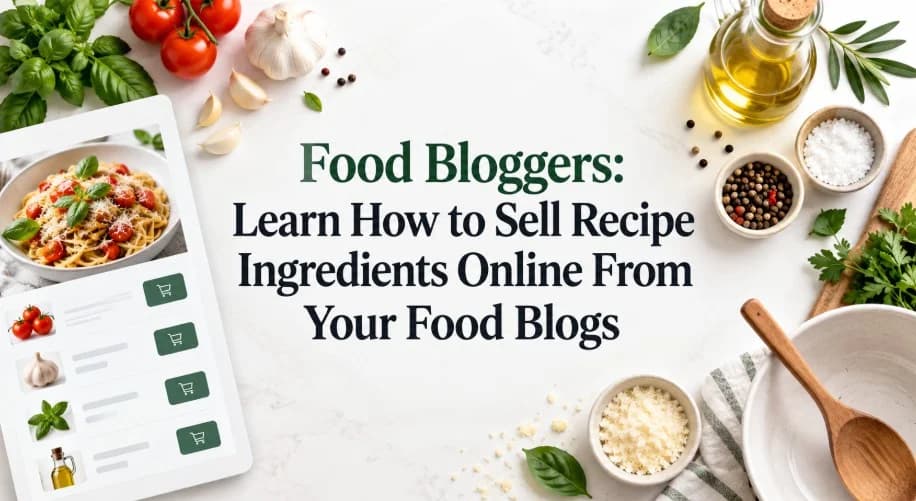
On this page
- Can You Sell Recipe Ingredients Directly From a Blog?
- Why Is It Hard to Turn Recipe Content Into Sales?
- 1. Readers Have to Leave the Recipe to Find the Product
- 2. A Recipe May Require Several Products, Not Just One
- 3. The Recipe Site and Shopify Store May Be Separate
- 4. Brands May Not Know Which Recipe or Partner Generated the Sale
- 5. Adding Ecommerce to a Recipe Can Feel Too Technical
- How to Sell Recipe Ingredients Online With EmbedUp
- Step 1: Choose What the Reader Actually Needs
- Step 2: Decide Between Individual Products and a Recipe Bundle
- Step 3: Place the Product Near the Relevant Recipe Context
- Step 4: Keep Product Information Connected to Shopify
- Step 5: Track Which Content Produces Results
- What Does a Shoppable Recipe Look Like?
- Smoky Chicken Tacos
- Can Recipe Bloggers Use This for Affiliate Commerce?
- How Is This Different From Ordinary Affiliate Links?
- What Should Food Brands Avoid?
- Final Thoughts
- FAQs
A reader finds your recipe, decides to cook it, and spots a spice blend, sauce, baking mix, or kitchen tool they need. That is a valuable buying moment. But if they have to leave the recipe, search for the product elsewhere, and then find their way back, the journey becomes unnecessarily complicated.
Recipe content already influences what people buy. Chicory reports that in a 2025 U.S. survey of 1,000 consumers, 80% of shoppers said recipes had helped them discover new products or ingredients
For food brands and recipe publishers, the opportunity is straightforward: connect the moment of inspiration with a simple way to buy. This guide explains how to sell recipe ingredients online from the content itself, where the usual friction happens, and how Shopify merchants can make recipe pages shoppable without rebuilding their entire website.
Can You Sell Recipe Ingredients Directly From a Blog?
Yes. A food brand or recipe publisher can place Shopify products, collections, or ingredient bundles directly inside recipe content instead of sending readers to a separate storefront first.
The products still belong to the Shopify store. The recipe can remain on WordPress, Webflow, Wix, Squarespace, or another website that supports the required embed code.
This approach is often called shoppable content or content commerce. The recipe remains useful editorial content, but relevant ingredients or tools become purchasable at the point where readers are already considering them.
That matters because online recipes are already part of the shopping journey. Chicory's State of Online Recipes research found that 91% of respondents used online recipes, while more than half specifically used recipe websites and food blogs.
Why Is It Hard to Turn Recipe Content Into Sales?
Recipe content is excellent at creating interest, but the path between “I want to make this” and “I want to buy this” can break in several places.
Here are five of the most common problems.
1. Readers Have to Leave the Recipe to Find the Product
Suppose your recipe calls for your own chili oil, seasoning blend, baking mix, or specialty sauce.
The reader may be interested immediately. But if the only option is to open your Shopify store, search for the product, find the correct variant, and then return to the recipe, you have separated the inspiration from the purchase.
The simpler alternative is to place the relevant product beside the ingredient list or recipe step.
A shoppable product card can show the product where the reader actually needs it, along with an Add to Cart or checkout option.
That makes the commercial element feel connected to the recipe rather than added as an unrelated promotion.
2. A Recipe May Require Several Products, Not Just One
Many recipes involve a group of ingredients.
Imagine a taco recipe that uses:
a seasoning blend
hot sauce
tortillas
salsa
If your store sells all four, asking the reader to locate each item separately creates unnecessary work.
A more practical option is an ingredient bundle.
The merchant can prepare a set of relevant products and quantities so that the reader can add several recipe essentials together rather than rebuilding the ingredient list one product at a time.
This model can also work beyond food ingredients.
A baking tutorial could combine flour or baking mix with a cake tin. A coffee recipe could feature coffee beans, syrup, and brewing accessories. A cocktail recipe could connect mixers, glassware, and other non-regulated products sold by the merchant.
3. The Recipe Site and Shopify Store May Be Separate
A brand does not have to publish every recipe inside its Shopify storefront.
Many merchants use a separate content platform for editorial content while Shopify handles products, inventory, orders, and checkout.
That creates a management question:
How do you show Shopify products inside a recipe without manually rebuilding the product information on the other website?
One approach is to embed the Shopify product data into the content page.
EmbedUp, for example, supports product and collection components on WordPress, Webflow, Wix, Squarespace, Ghost, and other sites that accept HTML. Its current documentation states that components remain connected to Shopify product data, including pricing, variants, and inventory.
If WordPress is your publishing platform, the process is covered in more detail in EmbedUp's guide to embedding Shopify products on WordPress.
This means the merchant can keep Shopify as the commerce system while using the content platform that already works for the brand.
4. Brands May Not Know Which Recipe or Partner Generated the Sale
Traffic tells you that people visited a recipe.
It does not automatically tell you which content placement contributed to a purchase.
That becomes particularly important when a food brand works with several recipe publishers, creators, or affiliate partners.
For example, imagine three bloggers publish recipes containing the same spice blend. The brand would ideally want to know:
which partner generated clicks
which placement contributed to carts
which partner generated orders
how much revenue came from the campaign
what commission should be attributed to the partner
EmbedUp's current Pro features include affiliate partner management, sales and commission tracking, affiliate performance analytics, and campaign analytics with UTM tracking.
For brands planning a larger creator program, this can turn recipe partnerships into a channel that can actually be measured instead of evaluated only by pageviews.
You can also read how this works in practice in the guide to selling Shopify products through affiliate websites.
5. Adding Ecommerce to a Recipe Can Feel Too Technical
A recipe blogger should not need to rebuild their site just to display a Shopify product.
Nor should a marketing team need a development sprint every time it wants to test a new product placement.
A practical embedding workflow usually looks like this:
Create the component → choose the products → customize it → copy the embed code → paste it into the page.
EmbedUp follows this model and describes its components as no-code and customizable. Its Shopify App Store listing also supports copying embed code for use on external websites.
That makes testing shoppable recipe content considerably easier than building a separate custom commerce integration.
How to Sell Recipe Ingredients Online With EmbedUp

EmbedUp connects Shopify products with content published outside the Shopify storefront.
A merchant creates a component using products from the Shopify catalog and then embeds that component into the recipe page.

Depending on the setup, the reader can interact with individual products, add several items together, or continue through Shopify checkout without first navigating through the main storefront.
Here is how that can work for a recipe.
Step 1: Choose What the Reader Actually Needs
Do not place your entire product catalog underneath every recipe.
Start with the products that are genuinely relevant.
For a pasta recipe, that might be:
Tomato sauce + seasoning blend + specialty olive oil

For a baking recipe:
Cake mix + frosting + decorating kit

For a mixed fruit juice:
Lemons + syrup + energy drink sachets

Context matters. The product should help the reader complete the recipe or recreate the experience shown in the article. That makes the recommendation more useful and less intrusive.
Step 2: Decide Between Individual Products and a Recipe Bundle
Not every recipe needs the same sales format.
Use an individual product card when one particular ingredient is important to the recipe.
Use a preset bundle when several products naturally belong together.
EmbedUp's Growth plan currently supports preset bundles with fixed products and quantities, along with an option to add all included items to cart or checkout together.
For example, a merchant could turn:
“You will need our taco seasoning, salsa, and hot sauce.”
into one ready-made recipe kit.
That is much clearer than making the reader search for all three products separately.
Step 3: Place the Product Near the Relevant Recipe Context
Placement matters.
A product card does not automatically become useful simply because it appears somewhere inside the article.
For example, if a recipe specifically mentions a chili sauce during Step 4, the product could appear near that step.
A full ingredient bundle may fit better immediately after the ingredient list.
Cookware could appear beside the preparation section where the equipment is actually used.
This keeps the shopping element connected to the reader's current task.
Step 4: Keep Product Information Connected to Shopify
Duplicating product information manually creates maintenance work.
If the price changes in Shopify but the recipe page still shows an old price, the content becomes misleading.
EmbedUp states that its embedded components use Shopify product information with real-time synchronization for pricing, variants, and inventory.
That allows Shopify to remain the main commerce system while the recipe acts as another place where the product can be discovered and purchased.
Step 5: Track Which Content Produces Results
Once several recipes become shoppable, measure them separately.
Do not look only at total blog traffic.
Useful questions include:
Which recipes generate product clicks?
Which components contribute to carts?
Which content sends shoppers toward checkout?
Which partner pages produce sales?
Which product combinations perform best?
EmbedUp includes sales attribution for content embeds and offers UTM campaign and affiliate analytics on its Pro plan.
That information can help decide which recipes deserve more promotion and which product placements need improvement. You can learn how to display your store products on other websites outside of Shopify in just a few simple steps.
What Does a Shoppable Recipe Look Like?
Consider a Shopify spice brand that publishes this recipe:
Smoky Chicken Tacos
The article includes the normal recipe information:
Ingredients
Chicken
Tortillas
Tomatoes
Onion
Lime
Smoky taco seasoning
Hot sauce
Instead of linking the seasoning and hot sauce to two separate store pages, the brand could place a small Shopify component directly below the ingredients.
It might contain:
Smoky Taco Seasoning
Chipotle Hot Sauce
The reader can then add either product individually.
Or the brand could create a Taco Night Kit containing both products in preset quantities.
The article remains a recipe first.
The commerce experience simply gives the reader an immediate next step when the recipe creates purchase intent.
Can Recipe Bloggers Use This for Affiliate Commerce?
Yes, although the setup is slightly different when the recipe publisher does not own the Shopify store.
A Shopify merchant can work with bloggers or other publishing partners and provide products or assigned components that appear inside their content.
With EmbedUp's affiliate functionality, merchants can create and manage affiliate partners, assign components, track sales, and calculate commissions.
That means a recipe blogger can write useful editorial content while the merchant continues managing products, orders, and Shopify checkout.
For the brand, the advantage is attribution.
For the publisher, the advantage is that the product can appear in the context where the recommendation is being made rather than being reduced to a standalone affiliate link.
How Is This Different From Ordinary Affiliate Links?
Traditional affiliate links usually work like this:
Recipe → click link → merchant website → product page → cart → checkout
An embedded commerce experience can shorten that journey:
Recipe → embedded product → cart or checkout
That does not mean ordinary affiliate links are ineffective. They are simple, widely supported, and appropriate for many publishers.
Embedded commerce is another option when the merchant wants the shopping experience to remain closely connected to the content.
The choice depends on the partnership model, website setup, products, and level of tracking the merchant needs.
What Should Food Brands Avoid?
Making recipe content shoppable does not mean turning every paragraph into a sales pitch.
The recipe still has to solve the reader's main problem: help them make the food successfully.
A few rules keep the experience useful:
Recommend only products that genuinely fit the recipe.
Keep instructions and ingredient information easy to find.
Do not interrupt every recipe step with a product card.
Make affiliate relationships clear where disclosure is required.
Keep prices and availability accurate.
Test embedded components on both desktop and mobile.
Test cart and checkout behavior before publishing.
The commercial experience works best when it supports the recipe instead of competing with it.
Final Thoughts
A good recipe already does much of the difficult work. It gives someone an idea, shows them how to use a product, and creates a reason to buy the ingredients.
The next step is making that buying path easier.
Food brands can place relevant Shopify products beside the recipe, group related ingredients into bundles, keep product information connected to Shopify, and measure which content or partners contribute to sales.
The goal is not to turn a recipe into a product page. It is to make the commercial step available when it is genuinely useful to the reader.
For Shopify merchants that publish recipes outside their storefront, EmbedUp provides one way to connect those two experiences through embeddable products, bundles, Shopify checkout, and content-level attribution.
FAQs
How can I sell ingredients directly from a recipe blog?
Can I sell Shopify products from a WordPress recipe blog?
Can I sell several recipe ingredients together?
Can food bloggers earn affiliate commissions from embedded products?
Do I need to move my food blog to Shopify?
Does adding shoppable products mean I need a developer?
- food bloggers
- food blogs
- Sell Recipe Ingredients Online
- Shopify embed food ingredients
Related articles
 Embed Shopify Products
How to Choose a Shopify Embed App in 7 Checks
This guide explains how to choose a Shopify embed app based on real content-selling needs, including checkout flow, platform compatibility, customization, bundles, affiliate tracking, and pricing. It helps Shopify merchants, bloggers, publishers, and affiliate marketers turn articles and external websites into more effective, measurable shopping channels.
13 min read
 Embed Shopify Products
How to Sell Shopify Products Outside Your Store in 2026
Learn how to extend your Shopify selling opportunities beyond your store, reduce friction, and turn external content traffic into seamless buying experiences.
13 min read
 Embed Shopify Products
How to Embed Shopify Products on Wix and Squarespace: A Step-by-Step Guide
Embed Shopify products on Wix and Squarespace without managing separate catalogs or disconnected checkouts. Learn how to keep Shopify as your commerce backend while adding products to content-focused websites.
11 min read