How to Sell Shopify Products Outside Your Store in 2026
 Anika Anamta Mehnaz13 min read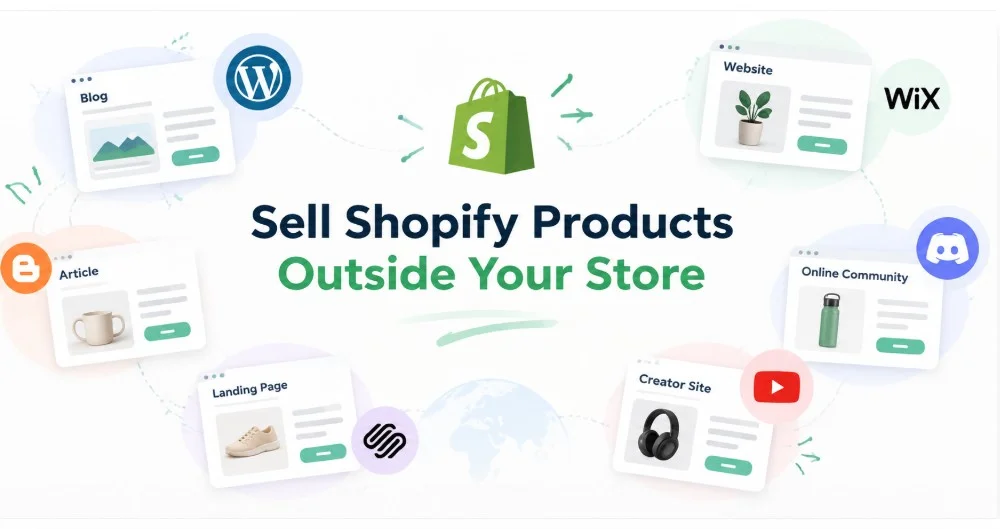
On this page
- Why Do Merchants Want to Sell Shopify Products Outside Their Store?
- What Causes Shopify External Selling Problems?
- Why Can Redirecting Visitors Create Unnecessary Friction?
- Why Is Manually Adding Products to Multiple Websites Difficult?
- How Can You Sell Shopify Products on Another Website Without Rebuilding It?
- 1. Find where buying intent already exists
- 2. Match products with the page context
- 3. Keep Shopify as the commerce foundation
- 4. Test the complete customer journey
- How Can Embedded Commerce Solve Shopify Product Embedding Problems?
- How Does Embedded Commerce Improve Content-Driven Selling?
- What Should You Check Before Selling Shopify Products Externally?
- Product accuracy
- Mobile usability
- Context
- Tracking
- Checkout experience
- Where Should You Put Embedded Shopify Products?
- When Should You Avoid Embedded Selling?
- Turn External Traffic Into a Buying Opportunity
- FAQs
Sell Shopify products outside your store, and you can reach customers where they already spend time online. That might be a WordPress article, creator website, campaign page, or another content platform. This matters because modern shopping journeys rarely happen in one place. Shopify cites 2026 research showing that 41% of consumers use AI assistants for product research, while shoppers continue moving between physical and digital channels.
Getting products in front of those shoppers is only half the challenge. The buying journey still needs to feel simple once somebody becomes interested. Baymard Institute currently places average ecommerce cart abandonment at 70.19%, showing how easily purchase intent can disappear before an order is completed.
The problem becomes more noticeable when valuable traffic lives outside your main storefront. A recipe may attract readers on WordPress. A creator may discuss your product elsewhere. A B2B campaign might use a separate landing page built specifically for wholesale buyers.
Sending every interested visitor somewhere else to start shopping creates another transition in that journey. Building separate stores is rarely a practical answer either. So, how can merchants expand their selling surface while keeping Shopify at the center?
Why Do Merchants Want to Sell Shopify Products Outside Their Store?
Merchants want to sell Shopify products outside their store environment because customers discover brands across many different digital touchpoints. Instead of treating every external website as traffic that must return home, merchants can make selected external pages part of the buying journey.
Shopify itself supports selling across multiple online sales channels. Its documentation explains that connected channels can help merchants manage products, orders, and other information through Shopify admin.
Consider a small specialty coffee company.
The company has a Shopify store, but its educational WordPress site attracts substantial organic traffic. One article explains how to choose beans for cold brew. The reader reaches the perfect recommendation and decides that a particular roast sounds right.
The traditional journey might look like this.
Read the article.
Click a product link.
Arrive at another storefront page.
Review the product again.
Choose the required option.
Continue toward checkout.
None of those steps is necessarily bad by itself. The problem is that the reader was ready to consider buying at step one.
A more connected approach lets merchants sell Shopify products on another website closer to that moment of interest. The content continues educating the customer while the product becomes part of that experience.
The same principle works beyond B2C.
Imagine a catering supplier publishing a page specifically for restaurant customers. Buyers might already understand the products and simply want suitable packs quickly. Making relevant products accessible from that page can shorten their route from research to purchase.
What Causes Shopify External Selling Problems?
Shopify external selling problems usually appear when product discovery and purchasing happen across disconnected websites. Merchants can end up managing duplicate information, sending customers through unnecessary page changes, or maintaining separate product experiences that become difficult to keep consistent.
The first problem is often surprisingly simple. Your customer is somewhere your products are not.
A fashion creator might write a detailed styling article featuring three products. A reader becomes interested in the second outfit, but purchasing requires leaving the article and finding the corresponding item elsewhere.
That creates a content-to-commerce gap.
The second challenge is management. Copying product information manually sounds manageable when you have five products. It becomes considerably less attractive when you have fifty products, several variants, changing prices, and inventory that moves every day.
You might update a price in Shopify but forget the promotional landing page. A product could become unavailable while an old external page still presents outdated information.
That is why the goal should not simply be putting products everywhere. The better goal is extending the Shopify-powered shopping experience without creating several disconnected catalogs.
Why Can Redirecting Visitors Create Unnecessary Friction?
Redirects are not automatically bad. However, every unnecessary transition asks a shopper to continue their journey somewhere else. When someone is already engaged with useful content, preserving that context can create a smoother path toward purchasing.
This distinction matters.
A customer intentionally clicking your brand name to explore your full storefront has a reason to change pages. Someone reading “Five Essentials for Your First Hiking Trip” has a different intention.
Suppose Maya runs an outdoor equipment store.
Her guide receives 8,000 monthly visits and recommends a compact hiking bottle halfway through the article. Readers interested in that bottle are already seeing its value within a relevant situation.
Sending them through several additional pages can interrupt that context.
A merchant trying to sell Shopify products outside their store can instead bring the product closer to the recommendation. Customers can inspect relevant product information while the original article continues providing context.
Shopify already recognizes this external commerce use case. Its Buy Button documentation states that merchants can add products to external websites and blog posts. Product pictures, descriptions, and prices can appear there, while Shopify product updates can also be reflected in the Buy Button.
That establishes an important principle. Your Shopify storefront does not have to be the only place where a shopping interaction begins.
Why Is Manually Adding Products to Multiple Websites Difficult?
Manual product duplication creates work because every copied listing can become another item requiring maintenance. Product names, prices, images, availability, variants, and promotions can change. The problem grows as your catalog and external publishing activity expand.
Imagine a skincare company selling twelve products through Shopify.
Its marketing team also operates a WordPress publication, seasonal landing pages, and partner content. Copying a product description into one article seems harmless. Copying and changing product information across thirty pages creates a different problem.
Someone now needs to remember where everything appears.
This is one reason Shopify products on external websites should ideally remain connected to a central commerce system. Merchants should avoid creating another product database whenever they create another selling surface.
There are technical considerations too.
Shopify explains that adding its Buy Button embed code works differently depending on the publishing platform and theme. Its documentation provides separate instructions for WordPress, Squarespace, Wix, and other implementations.
That does not mean embedding is inherently complicated. It means merchants should choose an approach that matches their technical comfort and publishing workflow.
If your marketing team publishes ten campaign pages monthly, asking a developer to rebuild shopping components repeatedly might not be sustainable. A reusable no-code workflow may make much more sense.
How Can You Sell Shopify Products on Another Website Without Rebuilding It?
The practical way to sell Shopify products outside your store is to separate the website presenting the product from the commerce system managing it. Your existing website can handle content and discovery while Shopify remains responsible for the underlying product operation.
This approach is commonly called embedded commerce.
Instead of rebuilding your WordPress, Wix, Webflow, or Squarespace website as another ecommerce store, you place Shopify-connected shopping components within selected pages.
Shopify supports this general model itself. Its documentation specifically recommends the Buy Button sales channel when businesses already have websites and want to add ecommerce functionality.
For merchants evaluating this approach, the process can be simplified into four decisions.
1. Find where buying intent already exists
Do not embed your entire catalog everywhere simply because you can.
Look at pages where product interest already makes sense. Gift guides, recipes, tutorials, lookbooks, comparison pages, campaign landing pages, and creator content are obvious candidates.
2. Match products with the page context
A bakery publishing a sourdough recipe should not display twenty unrelated products underneath it.
Flour, baking tools, or a starter kit would make contextual sense. Relevant products make the shopping component feel useful rather than inserted for promotion.
3. Keep Shopify as the commerce foundation
Avoid maintaining an independent catalog whenever possible.
The objective is to embed Shopify products on any website while continuing to use Shopify for the commerce operation. That reduces the need to turn every publishing platform into another independently managed store.
4. Test the complete customer journey
Never stop testing after seeing that the product appears correctly.
Try the experience on desktop and mobile. Select variants. Add products. Continue through the purchasing flow. Check whether product information remains understandable throughout the journey.
A working embed is not necessarily a good shopping experience. The customer journey matters more than the technical installation.
How Can Embedded Commerce Solve Shopify Product Embedding Problems?
Embedded commerce addresses Shopify product embedding problems by keeping products connected with their commerce source while presenting them inside external content. Merchants can create shoppable touchpoints without manually recreating a complete storefront wherever customers discover their products.
This is where EmbedUp becomes relevant.

EmbedUp is designed for Shopify merchants who want products, variants, collections, and shopping components available beyond their main storefront. Its current Shopify App Store listing supports WordPress, Webflow, Wix, landing pages, blogs, and affiliate websites.
The workflow remains straightforward.
Choose the products or collection you want to display.
Create and customize the shopping component.
Copy the generated embed code.
Place it inside the relevant external page.
Let shoppers interact with products from that page.
This is useful when merchants want to sell Shopify products outside their store without building another complete ecommerce operation.
There are practical differences between use cases.
A blogger may need one product inside an educational article. A fashion brand might place several products within a seasonal lookbook. A B2B seller could use a focused campaign page containing products relevant to one buyer segment.
EmbedUp currently supports embedded products, variants, collections, customizable components, and on-page shopping experiences. Its Shopify listing also includes affiliate management, commission tracking, campaign analytics, and UTM tracking on applicable plans.
That last part matters for external selling. Distribution becomes much more useful when merchants can understand which pages, campaigns, or partners contribute to sales.
How Does Embedded Commerce Improve Content-Driven Selling?
Content-driven selling works best when information and purchasing support each other. Instead of treating articles as traffic generators only, merchants can place relevant products where readers understand their purpose and are already considering a solution.
Think about a homeware merchant named Sofia.
She publishes an article explaining how to prepare a small apartment kitchen. The article recommends a compact storage set after explaining why vertical storage saves limited cabinet space.
The reader now understands the problem and the product.
If Sofia wants to sell Shopify products outside their store, this is a strong moment for an embedded product. The reader does not need to search the catalog to identify which storage set the article recommended.
This approach can also help affiliates.
A partner publishing “What I Pack for a Three-Day Hiking Trip” can explain each recommendation naturally. Relevant products can then appear beside the content where purchasing interest develops.
That creates a different experience from placing an isolated advertisement beside the article.
The product becomes part of the answer.
For merchants exploring this strategy further, the practical process of embedding Shopify products on any website helps connect these external pages with Shopify without rebuilding the original website.
What Should You Check Before Selling Shopify Products Externally?
Before trying to sell Shopify products outside your store, check whether the external experience remains accurate, fast, mobile-friendly, and easy to purchase from. Expanding your selling surface only helps when customers receive a consistent experience across those pages.
I recommend checking five areas before publishing anything.
Product accuracy
Verify titles, prices, variants, availability, and images.
Customers should not discover conflicting information after moving further through the purchase journey.
Mobile usability
Open the external page on an actual phone.
Buttons should remain easy to tap. Product information should be readable. Variant selection should not require awkward horizontal scrolling.
Context
Ask why this particular product appears on this particular page.
A relevant product feels helpful. An unrelated product can make useful content feel like advertising.
Tracking
External commerce becomes difficult to evaluate without attribution.
Use campaign and UTM tracking where appropriate. You should know whether your recipe article, partner page, or campaign actually contributes to purchases.
Checkout experience
Complete a real test journey before launching.
Shopify notes that its Buy Button can direct customers to checkout, open product details, or add products to a cart depending on configuration. Shopify also notes that checkout can open in another window or the same browser tab.
Your chosen flow should match the customer's context.
Where Should You Put Embedded Shopify Products?
The best places are pages where customers already have meaningful product intent. A product should answer the next natural question created by the content rather than appearing simply because space is available.
Good examples include recipe pages with ingredients or kitchen products, fashion lookbooks with featured clothing, and gift guides with recommended products.
Tutorials can also work well.
A merchant selling art supplies could publish “How to Start Watercolor Painting” on WordPress. Brushes, paper, and a beginner paint set could appear beside the steps where each item becomes relevant.
B2B merchants can apply the same principle.
Imagine a hotel supply business creating a dedicated page for boutique hotel owners. Instead of directing buyers through a broad consumer catalog, that page could present selected products relevant to hotel purchasing.
This is another reason businesses may sell Shopify products outside their store rather than forcing every audience into one storefront experience.
External selling is not about putting the same catalog everywhere.
It is about placing the right buying opportunity beside the right customer context.
When Should You Avoid Embedded Selling?
Embedding is useful, but it is not the answer to every ecommerce problem. Your main Shopify storefront should still serve customers who want to browse collections, discover products, compare options, and understand your complete brand.
Avoid placing products everywhere simply to reduce clicks.
Some customers genuinely need additional information before buying. Others may benefit from exploring related collections or reading detailed product information first.
There are platform limitations to consider as well.
Shopify's documentation notes that implementation can vary across publishing platforms. Certain Squarespace customizations are theme-specific, while WordPress compatibility can depend on the WordPress setup or plan being used.
That is why testing matters.
The strongest strategy combines a complete Shopify storefront with carefully selected external shopping opportunities. Your storefront remains the central destination while high-intent content gains a shorter purchasing path.
Turn External Traffic Into a Buying Opportunity
Learning to sell Shopify products outside your store does not mean replacing your Shopify storefront. It means recognizing that product discovery happens across many places and giving interested customers a suitable purchasing path where that interest develops.
Start with one high-traffic page where a product naturally belongs. Add a relevant shopping experience, test it on real devices, and measure what happens. If external content already earns attention, the next opportunity is making that attention easier to turn into commerce.
FAQs
Can I sell Shopify products outside my Shopify store?
Can I put Shopify products on an existing website?
Do I need to rebuild my website as a Shopify store?
Can I sell Shopify products on another website without copying every product?
What websites can display embedded Shopify products?
- sell shopify products outside store
- sell shopify products anywhere
Related articles
 Embed Shopify Products
How to Handle Sold-Out Shopify Products Across External Websites During BFCM
When popular Shopify products sell out during BFCM, merchants need to respond across every external website promoting them. This guide explains how to handle unavailable variants, update embedded product placements, choose suitable alternatives, use collection embeds, and keep external campaigns useful as product availability changes.
18 min read
 Embed Shopify Products
Food Bloggers: How to Sell Recipe Ingredients Online Without Losing Your Readers
This guide shows food bloggers and Shopify brands how to sell recipe ingredients directly from their content using shoppable product cards, ingredient bundles, live Shopify data, and affiliate tracking. It explains how EmbedUp can connect recipe pages with Shopify products, reduce unnecessary buying steps, and turn useful food content into a measurable sales channel without requiring custom development.
12 min read
 Embed Shopify Products
How to Choose a Shopify Embed App in 7 Checks
This guide explains how to choose a Shopify embed app based on real content-selling needs, including checkout flow, platform compatibility, customization, bundles, affiliate tracking, and pricing. It helps Shopify merchants, bloggers, publishers, and affiliate marketers turn articles and external websites into more effective, measurable shopping channels.
13 min read