Creator Commerce: Selling Products From Your Personal Website
 Syeda Rehnoma Tanzom20 min read
On this page
- What is creator commerce?
- Why the personal website matters for creator commerce
- The Voice, Shelf, Credit method
- Voice: put the product inside the creator's explanation
- Shelf: one permanent shop page on your own domain
- Credit: make every sale traceable, and every partner pick disclosed
- Which pages on a personal website sell
- Selling your own products and partner products on one site
- Creator commerce on a personal website vs other places to sell
- How to set up a creator website store with Shopify
- If your website is your Shopify online store
- If your website runs on another platform
- A note on Shopify's Starter plan
- Where EmbedUp fits
- Drops, launches, and sold-out products
- Example: a creator site, step by step
- How to measure creator commerce sales
- Mistakes that stop creator sites from selling
- Creator commerce and AI search
- Limitations of selling from a personal website
- Conclusion
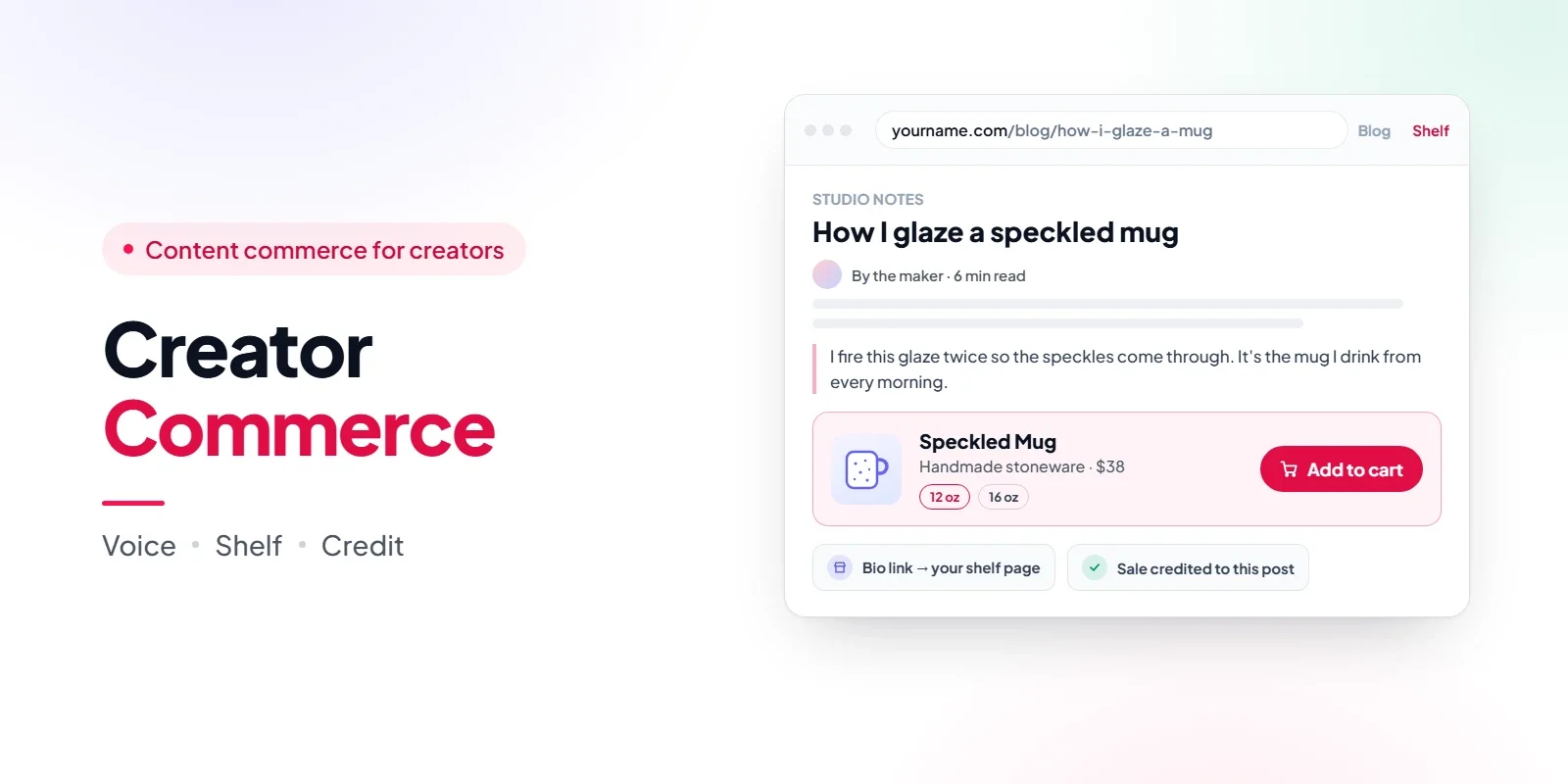
Picture a ceramicist who sells her own mugs. Her most-read page is a blog post called "How I glaze a speckled mug," with photos of every step and a short story about why she likes the finish. Readers love it, but the only way to buy is a "Shop" link in the menu that opens a separate store with a different design, where the mug from the post sits somewhere in a grid of forty products. (She's an illustrative example, but the pattern is common.)
The post did the hard part. It showed readers why the mug is worth buying, in her own words. Then it asked them to leave and find it somewhere else. That's the gap behind how brands in different industries sell through content: every category has its own decision point, and in creator commerce it's the moment the creator explains why they made or use something.
This matters because a creator's page is one of the few channels they actually own. Social reach changes with every algorithm update, brand deals come and go, and a link-in-bio page or a separate store breaks the connection between the story and the product. When the product sits inside the story, on the creator's own domain, the trust built by the content goes straight into the sale.
This guide explains how to sell products from your personal website: what creator commerce means on a site you own, which pages sell, how to place your own products and partner products without confusing readers, how to set it up with Shopify, and how to measure which page made each sale.
Short answer: Creator commerce works best on the creator's own website when it follows a Voice, Shelf, Credit approach. Put each product inside the post or page where the creator explains why they made or use it. Keep one permanent shop or "what I use" page on the creator's own domain and point the bio link there. Then make every sale traceable to the page that earned it, and clearly label partner products as paid or affiliate recommendations. If the site isn't built on Shopify, products can be embedded with Shopify's Buy Button or an embed app, and checkout still runs through Shopify.
TL;DR
Creator commerce sells through the creator's voice, so the product belongs inside the creator's own explanation, not in a separate store.
A personal website is the channel a creator owns, unlike social platforms and brand deals.
Use Voice, Shelf, Credit: product in the story, one shop page on your own domain, and every sale traced to its page.
Keep your own products and partner products in clearly labeled sections, and disclose paid or affiliate picks.
Point your link-in-bio to the shop page on your site, so social traffic lands where your story is.
Measure revenue per page and per creator for 60 to 90 days before deciding what to expand.
What is creator commerce?
Creator commerce is selling products through a creator's own content and voice, where the reason to buy is the creator's explanation or recommendation. On a personal website, that means a reader can buy the product on the same page where the creator talks about it, such as a blog post, a portfolio page, a "what I use" page, or a newsletter archive.
Most definitions in search results describe the brand side: a company paying creators to promote its products. That's one model. On a personal website, two models usually run side by side:
Model | Who owns the product | Who owns the page | Who gets credit for the sale | Disclosure needed |
|---|---|---|---|---|
The creator's own products | The creator (a creator-led Shopify brand) | The creator | The creator's brand | No endorsement disclosure, but make it plain the product is yours |
A brand's products sold by the creator | The brand | The creator | The creator, through a link, code, or tracked embed | Yes, a clear disclosure of the paid or affiliate relationship |
This guide is mostly for the first model: creators who run their own Shopify store and want to sell from the website where their audience reads. The second model comes up in the section on mixing your own and partner products, because most creator sites end up with both.
Why the personal website matters for creator commerce
Creators earn most of their income from sources they don't control. Goldman Sachs Research estimated in 2023 that there were about 50 million creators worldwide, that only about 4% earned more than $100,000 a year, and that brand deals made up about 70% of creator revenue. A creator whose income depends on brand deals and platform payouts is exposed to every change in those deals and platforms.
Many creators have already responded by building something of their own. In Influencer Marketing Hub's Creator Earnings Report, based on a survey of more than 3,000 creators, nearly 45% of creators said they own some form of business or brand in addition to their content, and the share who earn most of their revenue from brand deals fell compared with the year before.
Owning a product is half of the shift. Selling it from a page you own is the other half. A personal website gives a creator four things a social profile doesn't:
No algorithm between you and your reader. A post that ranks in search keeps bringing readers for years.
No platform rules on where links go. You decide where the product appears and how it looks.
Room for the full story. A blog post can explain why a product exists in a way a caption can't.
Text that search engines and AI assistants can read and quote. A detailed post about how and why you make something is the kind of page that gets cited.
The Voice, Shelf, Credit method
Most creator sites that don't sell well have the right content and the wrong path to checkout. The Voice, Shelf, Credit method fixes the path in three parts.
Voice: put the product inside the creator's explanation
The product goes where the creator explains why they made it, how they use it, or what problem it solves. In the ceramicist's post, that's right after the paragraph about the finish, not in the menu and not at the very bottom. Show only the product the paragraph talks about, with its options (color, size) visible, so the reader doesn't have to search again.
A useful test: if you removed the product card, would the paragraph still make sense? If yes, the card is in the right place. If the paragraph only exists to introduce the card, it reads like an ad.
Shelf: one permanent shop page on your own domain
Readers who already know they want something need a place to browse. Give them one page on your own domain, such as /shop, /studio-shelf, or /what-i-use, with a short note on each product in your voice. Keep it small. A shelf of six to twelve products with a sentence each beats a full catalog grid, because the sentences are the reason people buy from you instead of from anyone else. If you sell merch from your website, this is where it belongs, with a line about each design instead of a wall of identical T-shirt photos.
This page is also where your link-in-bio should point. Social traffic then lands on your site, in your design, next to your story, instead of on a generic storefront.
Credit: make every sale traceable, and every partner pick disclosed
Every product placement should tell you which page earned the sale. Use a separate product block or a tagged link for each page, and a separate one for each creator when a brand is involved. For partner products, add a short disclosure close to the recommendation, such as "I earn a commission if you buy through this link," so readers know which picks are paid.
Which pages on a personal website sell
Not every page needs a product. The pages that sell are the ones where the reader is already thinking about the thing you make or recommend.
Page type | Example | What to put on the page | Where it goes |
|---|---|---|---|
Product story or making-of post | "How I glaze a speckled mug" | The one product the post is about, with its options | Right after the paragraph that explains why it's made that way |
"What I use" or kit page | "My studio setup" | Your own products and partner products, in separate labeled sections | Next to each item's one-line reason |
Tutorial or how-to | "How to brew pour-over at home" | The products used in the steps, or a fixed set if they're always used together | At the step where each product is used |
Review or comparison | "My two travel sketchbooks compared" | Both products, with your verdict | After the verdict, not before it |
Gift guide | "Gifts for people who cook" | A short list, each with a reason | Under each item |
Drop or launch page | "Spring glaze collection" | The new products, with stock shown | At the top, since buying is the point of the page |
The same logic runs through every industry cluster. A makeup artist's tutorial that sells each step places each product where it's applied, and a food blogger's ingredient kit under a recipe sells the whole list at once. On a creator site, the product story post is usually the best first page to try, because it already explains the product.
Selling your own products and partner products on one site
Most creator sites end up with both: things you make and things you use but don't make. Mixing them is fine, as long as readers can always tell which is which.
Label the sections. Use plain headings such as "Made in my studio" and "Tools I use." Don't put your own products and affiliate products in one grid, because readers can't tell where the money goes and your own products lose their story.
Disclose partner products clearly. If a brand pays you, gives you free products, or pays a commission, say so near the recommendation, in words a reader can't miss. The FTC's guidance on endorsements says a disclosure should be clear and close to the claim, that the words "affiliate link" on their own may not be enough, and that a buy button is not a disclosure. A short sentence before the product block works well. This isn't legal advice, so check your wording if you work with many brands.
Credit each partner fairly. For partner products, the brand needs to know which sales came from your page. A tracked link works anywhere. An embedded product on your page keeps the reader on your site, which matters on long posts where readers decide halfway through. The right choice depends on the partner and the page, and choosing between affiliate links and embeds for each partner comes down to where that partner's readers make their decision.
Make it plain when a product is yours. Your own products don't need an endorsement disclosure, but say they're yours. "I make these in my studio" is honest, and it's also the best sales line you have.
Creator commerce on a personal website vs other places to sell
Creators usually sell in several places at once. Each one does a different job, and the mistake is letting the weakest one carry the most traffic.
Where you sell | What it's good for | Where it falls short | Best use |
|---|---|---|---|
Your personal website, with products embedded | Selling inside the story, on a page you own and design | Needs a site that accepts embed code | Product story posts, kit pages, your shop page |
A separate Shopify store | Full catalog, checkout, customer accounts | Readers leave your site, and the store's design may not match | The full catalog and checkout behind your site |
A link-in-bio storefront | Quick setup for social traffic | Short descriptions, no story, and another domain you don't own | A stopgap until your site's shop page is ready |
Social shops | Buying without leaving the app | The platform controls the layout, the rules, and the customer relationship | Impulse buys from posts and videos |
Marketplaces | Reach to people who don't know you | Fees, competition on the same page, and little brand control | Discovery, not your core audience |
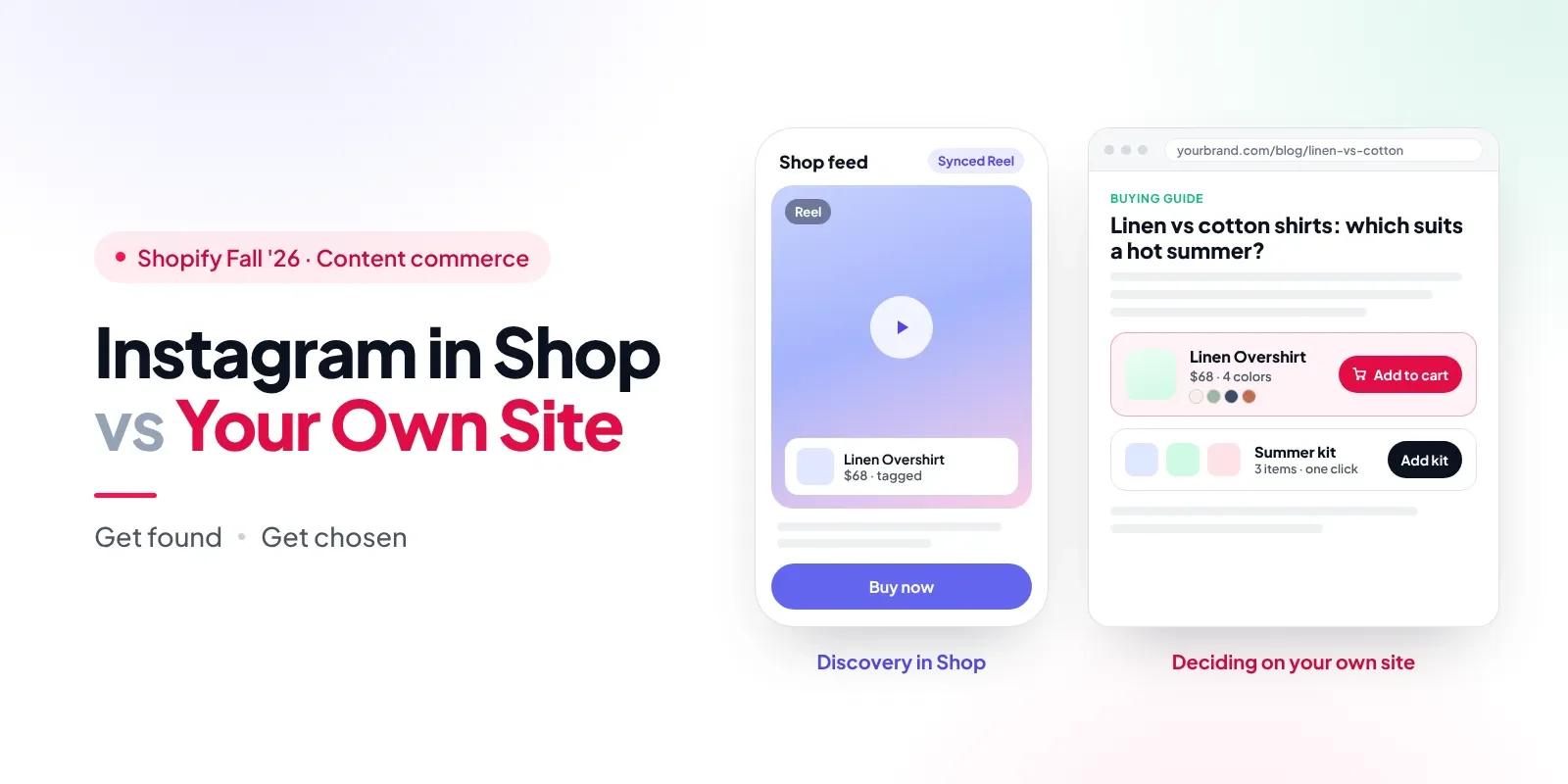
The trade-off between selling inside a social app and selling on your own site is the same one that comes up with Instagram posts in the Shop app versus your own site: the app is convenient, but your site keeps the customer and the story. For most creators, the practical answer to "link in bio vs website" is to keep the link-in-bio and point it at the shop page on the website.
How to set up a creator website store with Shopify
The right setup depends on where your website is built, not on how many products you have.
If your website is your Shopify online store
If your blog and pages already run on Shopify, you don't need an embed tool. Your theme can show products inside blog posts and on custom pages, and your shop page can be a regular Shopify page or collection. Focus on placement and wording instead.
If your website runs on another platform
Many creators built their site first on WordPress, Squarespace, Framer, Webflow, Wix, or Ghost, and added Shopify later for checkout. In that case, you have three main options:
Shopify's Buy Button. The Buy Button sales channel is included in all Shopify plans and lets you embed products and collections on external sites. It works well for a few products, though it has limits on design, bundles, and tracking that matter more as your site grows.
Cart permalinks. A cart link adds specific products straight to the cart. It's useful in newsletters, social posts, and messages, where an embed can't run.
An embed app. Apps such as EmbedUp let you place synced products, sets, and tracked placements on your site, with checkout still running through Shopify.
Platform-specific steps are covered in guides to embedding Shopify products on WordPress, embedding Shopify products on Wix and Squarespace, selling Shopify products on Framer, and selling Shopify products on a Webflow site.
A note on Shopify's Starter plan
Many creator guides still recommend Shopify's low-cost Starter plan for selling through links. According to Shopify's Help Center, the Starter plan isn't available to new stores, and it doesn't support collections or themes other than Spotlight. If you're starting a store now, plan around a standard Shopify plan.
Where EmbedUp fits
EmbedUp is one option for creators whose website isn't on Shopify. It embeds Shopify products, variants, collections, and preset bundles on external sites, and checkout runs through Shopify. The free Starter plan includes one component with up to three products, which is enough to test a single product story post. Growth ($14.99 a month) allows up to 10 components and adds preset bundles, one-click "add all to cart," and an inventory check before checkout. Pro ($29.99 a month) allows up to 50 components and adds affiliate partners, partner sales and commission tracking, UTM campaign analytics, and order-level attribution, which helps when a brand sells through several creators. EmbedUp doesn't run email, link-in-bio pages, or commission payouts, and embeds need a page that accepts embed code.
Drops, launches, and sold-out products
Creators often sell in drops: a limited batch, a seasonal color, a collaboration. Drops create two problems on a personal website. The launch page needs to sell fast, and older posts keep pointing at products that sold out months ago.
Use synced products, not screenshots. An embedded product that syncs from Shopify shows the current price and stock. A screenshot with a copied price goes stale the day the drop ends.
Reuse one placement across posts. If three posts mention the same mug, use the same product block in all three, so one update fixes every page.
Plan what happens after a sell-out. Swap the product for the next batch, or add a short line telling readers when it returns and where to sign up for news.
Give the launch page its own placement. That way you can see exactly how much the launch page sold compared with the posts that mention the drop.
A launch page built this way can sell without sending readers to a separate store, and embedded products for a product launch work the same way for creators as for brands.
Example: a creator site, step by step
Here's how the ceramicist from the introduction could set up her site. The numbers in this example are made up to show the method, not results.
Voice. In "How I glaze a speckled mug," she adds the speckled mug, with both sizes shown, right after the paragraph about the glaze. She adds the same block to her "Morning coffee setup" post.
Shelf. She creates
/studio-shelfon her own domain with eight products, each with one sentence about why she makes it. Her link-in-bio now points there instead of to the store's home page.Partner picks. On her "Tools I use" page, she lists the wheel and glazes she uses under a separate heading, with a disclosure sentence above the list.
Credit. Each post and the shelf page get their own product block, and each newsletter link gets its own UTM tag.
Review. After 60 days she compares revenue per page. The making-of post sells more per visit than the shelf page, so she writes two more making-of posts before redesigning anything.
How to measure creator commerce sales
Measuring creator commerce means measuring pages, not just channels. "Website" is too broad to tell you anything useful.
Revenue per page. Orders and revenue from each post or page, using its own product block or tagged link.
Revenue per visit. Revenue divided by page visits, which shows which content sells best for its traffic.
Add-to-cart rate. Clicks on the product compared with views of the page. A low rate usually means the product is in the wrong place or the story doesn't connect to it.
First-time buyers. The share of orders from people who haven't bought before, which shows whether the site brings in new customers or only serves existing fans.
Repeat purchases. Whether customers who first bought through a post come back.
Per-creator results. If a brand sells through several creators, compare each creator's pages separately.
Shopify can show an order's referrer and UTM details in the order's conversion summary, but that information isn't always complete. Separate placements per page, and order-level attribution when you work with partners, make the results easier to read. Give each page 60 to 90 days before judging it, since posts that rank in search often sell more in month three than in month one.
Mistakes that stop creator sites from selling
Sending every reader to the store's home page. The reader came for one product. Link to that product, or show it on the page.
Embedding the whole catalog. A grid of forty products under a personal story looks like an ad and hides the product the story is about.
Mixing your own and partner products in one grid. Readers can't tell which is yours or which is paid, and both lose trust.
Pointing the link-in-bio at a storefront with no story. Point it at your shop page, where each product has your reason next to it.
Leaving sold-out drops on old posts. Use synced products and plan what replaces each one.
Forgetting the disclosure on partner picks. Put it close to the recommendation, not in a footer.
Measuring "website sales" as one number. Track by page, or you won't know which content to make more of.
Creator commerce and AI search
AI assistants answer questions by quoting pages that explain things clearly, and a creator's detailed posts are often exactly that. A post that names the product, says what it's made of, explains who it's for, and states the price in text is easier for an assistant to quote than a product grid or a video with no transcript.
That's another reason to keep the story and the product on the same page. When an assistant cites your post, the reader who clicks through lands on the explanation and the product together. What happens next depends on whether that page can sell, which is the question behind what happens after an AI assistant cites a shoppable post.
Limitations of selling from a personal website
Embeds need a page that accepts embed code. Email clients and social apps don't run embedded products, so newsletters and posts still need links or cart permalinks.
A small audience still sells a small amount. Better placement turns more readers into buyers, but it doesn't create readers.
The operations are still yours. Shipping, stock, returns, and customer service don't change because the product sits on your blog.
Disclosure is your responsibility. Tools can show a product, but they can't decide whether your relationship with a brand needs a disclosure.
More placements mean more upkeep. Every product block is something to update when prices, stock, or products change, which is why synced embeds and a short shelf help.
Weak content doesn't sell. If a post doesn't give readers a reason to want the product, no button will fix it.
Conclusion
Creator commerce works because readers trust the creator, and that trust lives on the creator's own pages. The most reliable way to sell from your personal website is to put each product inside the explanation that makes it worth buying, keep a short shop page on your own domain for readers who are ready to browse, and track which page earns each sale.
Start with one product story post and one shelf page, point your bio link at the shelf, and measure for 60 to 90 days. If your site isn't built on Shopify, EmbedUp is one way to bring synced products and tracked placements onto it, with checkout still running through Shopify.
What is creator commerce?
Can I sell my Shopify products on my Squarespace or WordPress website?
Should my shop be on a subdomain or on my main website?
Is a link-in-bio store enough, or do I need a website?
Do I have to disclose anything when I sell products on my own website?
How many products should I show on a personal website?
Can I still use Shopify's Starter plan to sell from my website?
How do I track which post or video made a sale?
- creator commerce
- sell products from your personal website
- creator website store
- link in bio vs website
- sell merch from your website
Related articles
 Embed Shopify Products
Shopify Ghost: How to Sell Shopify Products on a Ghost Blog
Last checked: 23 November 2026. Who this is for: writers, newsletter creators and brands who publish on Ghost and want readers to buy products from their Shopify store without leaving the post.
15 min read
 Content Commerce
Instagram Posts in the Shop App vs Your Own Site: Where Each Wins
Shopify's Instagram sync puts your Reels and carousels in front of Shop app shoppers. Your own site and partner sites still win for guides, comparisons and bundles. Here's how to split the work.
15 min read
 Content Commerce
Supplement Brands Selling Through Educational Content: What Works
Supplement brands sell through educational content when the page answers the reader's question first, shows who the product fits, and only then offers it. Here's what to publish, where the product goes, and what you can safely say.
20 min read